
Team owners
Choose team leads and decide who can change a team's settings, labels, questions, templates, members, agent skills, and loops.
Overview
Team owners decide who can change a team. They set the team's permissions, so a hiring team can let every recruiter edit its labels while leaving its members and settings to the people who run it.
Team owners are available on Business and Enterprise plans.
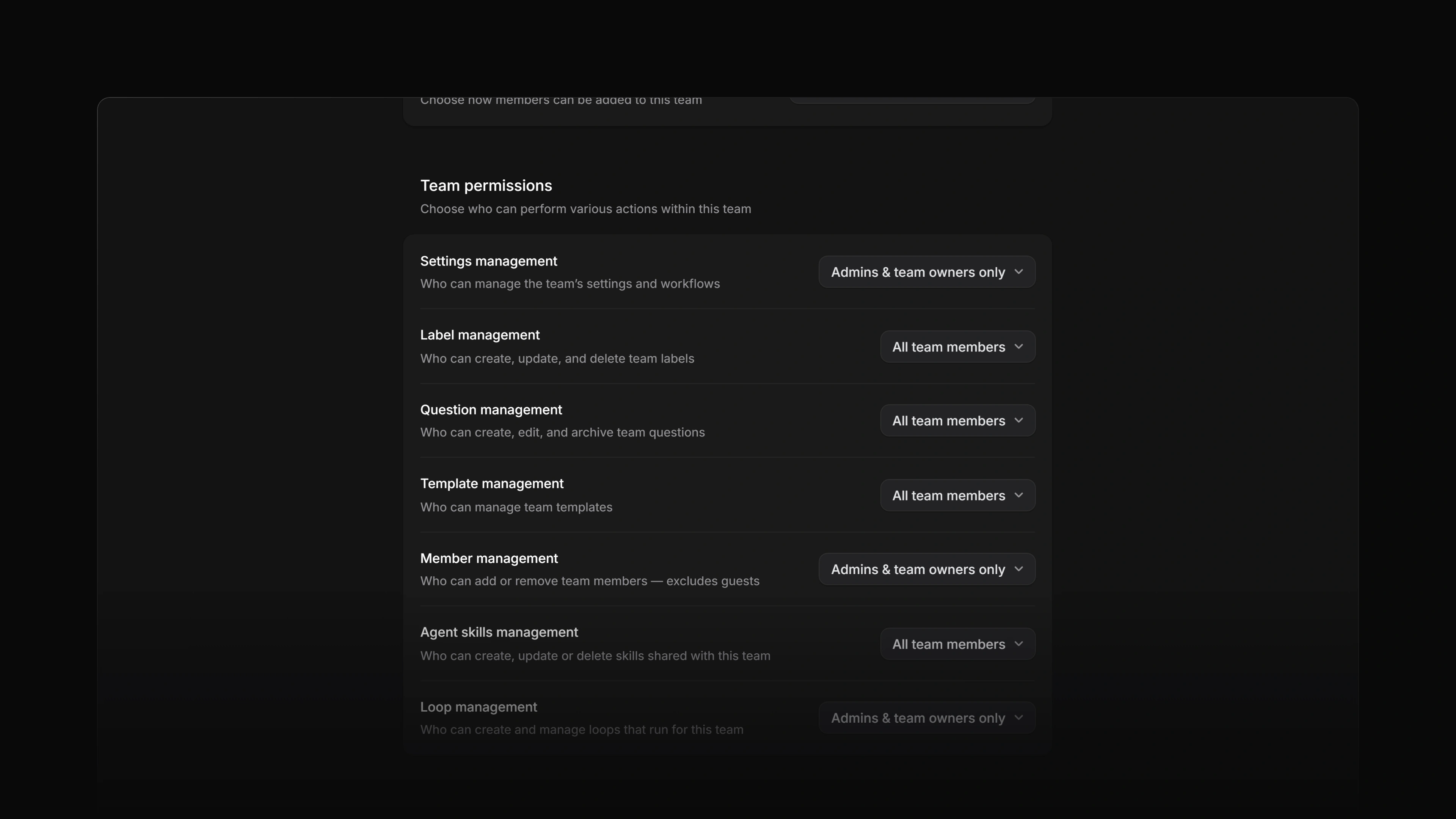 Zoom image
Who counts as a team owner
These people are team owners:
- Every team lead. A lead is a team member whose role is Lead.
- The workspace owner, on every team.
- Workspace admins, on public teams. On a private team an admin is a team owner only if they are also one of its leads. The note at the top of the Access and permissions page says the same.
- Leads of a parent team. On a sub-team's Members page they show up as Inherited owner, with the description "Owner access inherited from a parent team."
Guests are never team owners. Attia refuses to make a guest a team lead.
Make someone a team lead
Open Settings > Administration > Teams, select the team, and open Members. Open the menu on a member's row and choose Make team lead. To undo it, choose Remove as team lead.
A team can have more than one lead, and it always keeps at least one. Attia blocks removing the last lead as team lead, removing them from the team, and leaving the team as the last lead. Make someone else a lead first.
The person who creates a team becomes its first lead.
The team's Member management permission decides who can add members and change their role. Making someone a lead also needs the Business or Enterprise plan.
Set team permissions
Open the team's Access and permissions page. The Team permissions section has one row per permission, and each row takes one of two values:
- All team members: anyone on the team can do it.
- Admins & team owners only: only team owners can do it.
| Permission | What it controls | Default for a new team |
|---|---|---|
| Settings management | The team's settings and workflows | Admins & team owners only |
| Label management | Creating, updating, and deleting team labels | All team members |
| Question management | Creating, editing, and archiving team questions | All team members |
| Template management | The team's templates | All team members |
| Member management | Adding and removing team members, guests excluded | Admins & team owners only |
| Agent skills management | The team's agent skills | All team members |
| Loop management | The team's loops | Admins & team owners only |
Only team owners can save changes to these permissions. Attia refuses the change for anyone else.
A guest never passes a team permission, whatever the row says.
When you create a team by copying another team's settings, the new team takes the source team's Settings management, Label management, Template management, and Member management values, and its Restrict membership setting. Agent skills management, Loop management, and Question management start at their defaults.
Team access
The Team access section on the same page holds two settings.
Visibility makes the team Public, where all workspace members can access it, or Private, where only added members can. Whoever the team's Settings management permission allows can change it. Private teams need the Business or Enterprise plan.
Restrict membership decides whether people can join the team themselves. Allow anyone with access to join lets any workspace member who can see the team join it. Only invited members can join means someone has to add them. Guests cannot join a team by themselves.
On lower plans
On Free and Basic, the Access and permissions page is read-only and shows Business plan required. Every permission then behaves as All team members, except Loop management, which stays with team owners. You cannot make another member a team lead on these plans.
What team owners cannot do
Some team changes go beyond team ownership:
- Only workspace owners and admins can retire, restore, or delete a team. A team lead who is not a workspace admin cannot.
- Only workspace owners and admins can move a team under a different parent. On a private team, a workspace admin also has to be one of its leads.