
Private teams
Restrict sensitive jobs, applications, comments, and team activity to the right workspace members.
Overview
Private teams restrict sensitive hiring work to a smaller group of workspace members.
Private teams are available on Business and Enterprise plans.
 Zoom image
Use a private team when:
- Hiring work is sensitive, such as executive search, HR, customer data, or founder-led searches.
- A recruiting group needs a private space for jobs and applications.
- A workspace member should only access selected teams. For that case, consider using the Guest role with designated team access instead of making many teams private.
Visibility
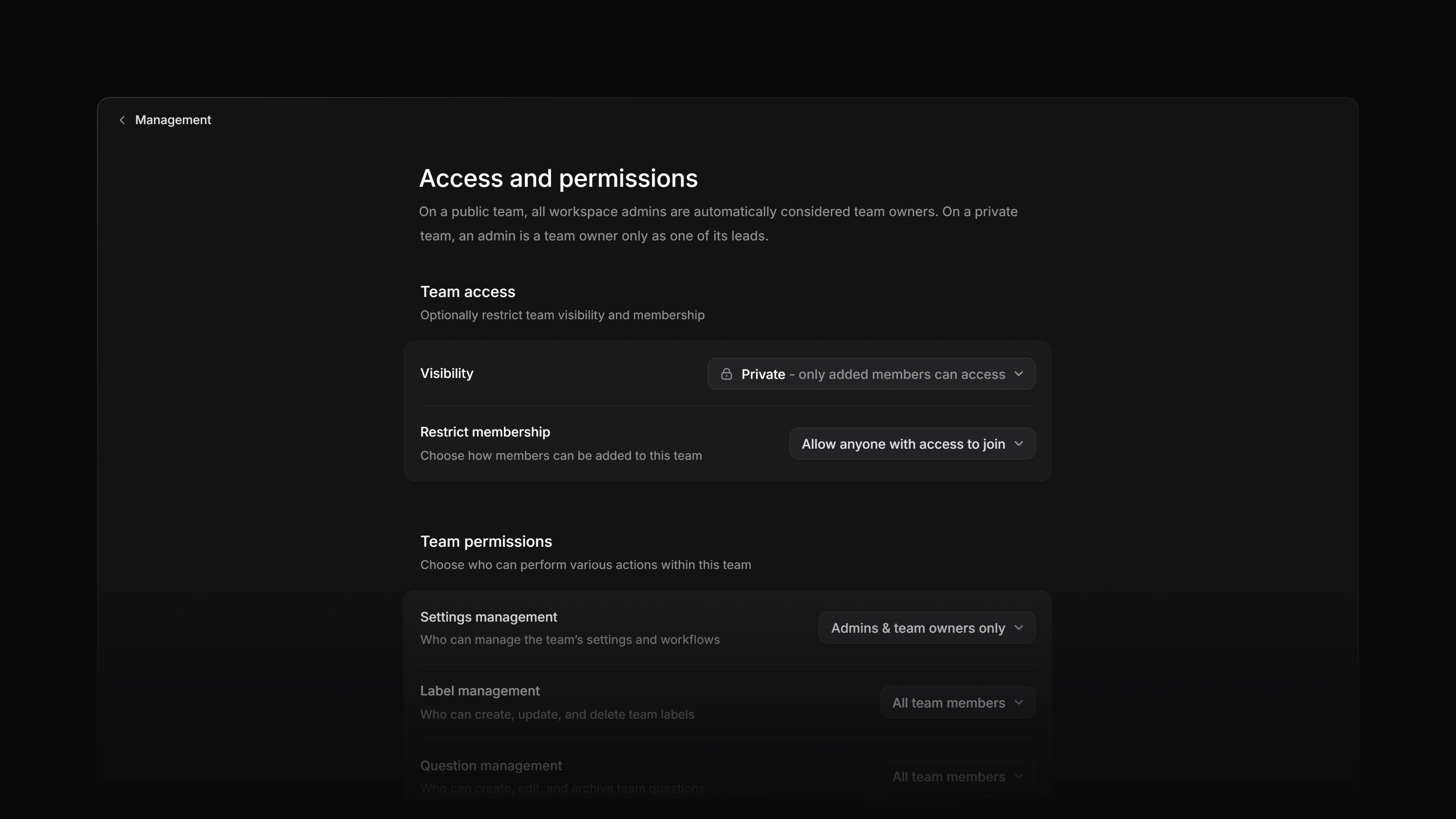
Private teams are only visible to direct team members and workspace owners. This is the same on Business and Enterprise. Workspace admins must be added to the team before they can see or administer it.
Members of a private team can leave the team on their own, but they cannot re-join until someone adds them again. That can be a workspace owner, a team lead, or a team member the team's Member management permission allows.
What becomes private
Private-team access applies to the recruiting records that belong to that team.
| Record | Visibility behavior |
|---|---|
| Jobs | Jobs owned by a private team are hidden from people who cannot access that team. |
| Applications | Applications in private-team jobs are hidden from non-members unless the application is explicitly shared. |
| Files, comments, and activity | Team-scoped files, comments, and timeline activity follow the private team's access rules. |
| Labels and statuses | Team-level application labels and statuses remain scoped to the private team. |
| Views | Team-shared views for a private team are visible only to people who can access that team. |
Candidates remain workspace-level records. A candidate can exist in the workspace while one of their applications is visible only to a private team.
Configure
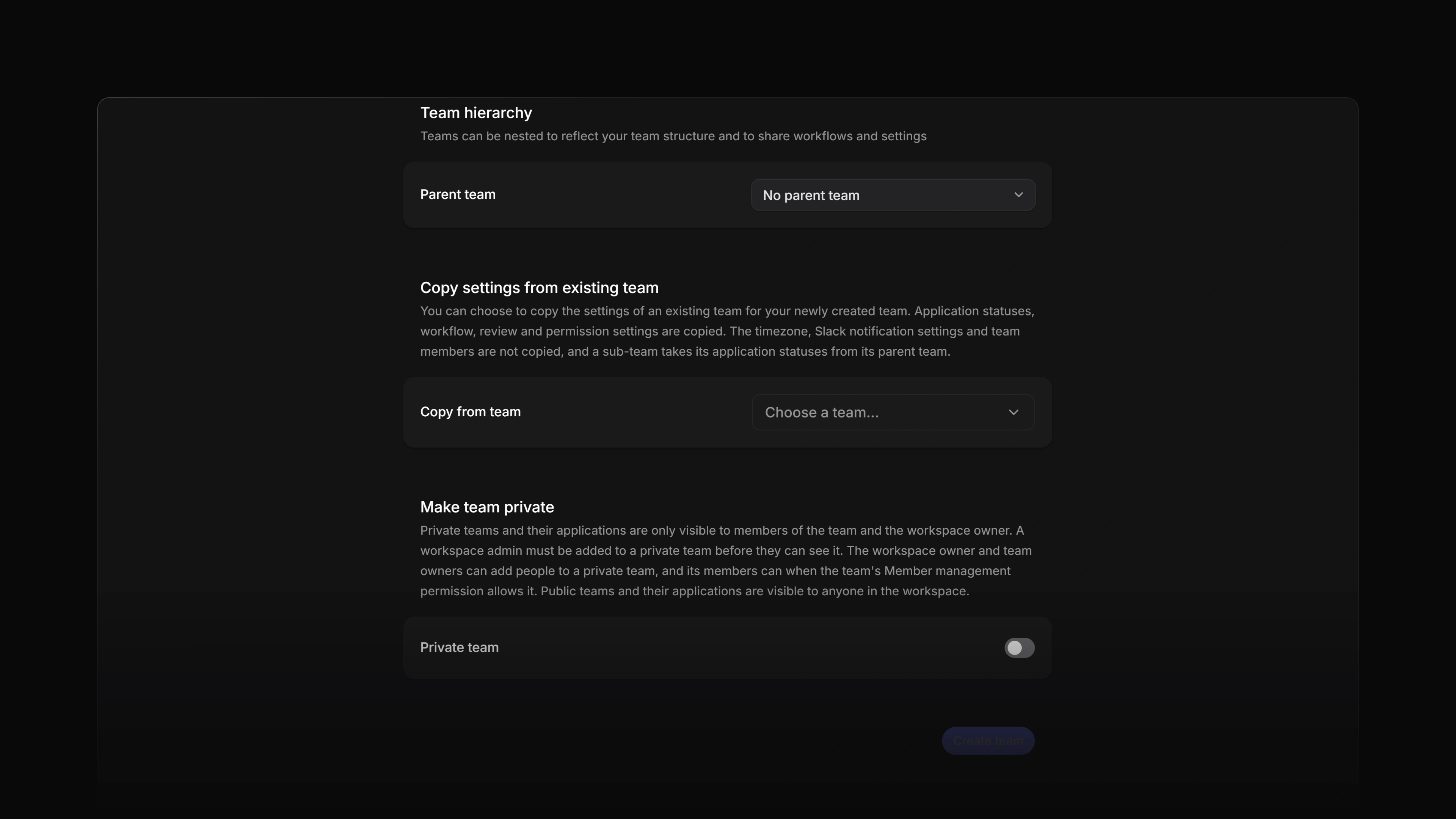
When creating a team from workspace settings, turn on Private team in the Make team private section.
 Zoom image
Private teams require the Business or Enterprise plan. Free and Basic workspaces can keep reading existing private teams after a downgrade, but they cannot create new private teams or convert public teams to private.
Sub-teams under a private team must also be private. If moving or converting a team would place public sub-teams under a private parent, Attia asks you to confirm the cascade before making those teams private.
You can also change visibility after creation. Open the team, then Access and permissions, and set Visibility to Private. The same page controls how members can join the team and who can manage its settings, labels, questions, templates, members, agent skills, and loops.
Private team members
The person who creates a team, private or public, is added as its team lead. After that, the team's Member management permission decides who can add active workspace members. Workspace owners and team leads can always add members. A workspace admin must first be added to the private team, and then counts as a team member.
Team leads can add members, promote members to lead, remove members, and manage team-scoped settings where those settings are available.
A guest joins the workspace through an invitation with the Guest role, and is then added to the specific teams they should reach from each team's Members page. No control in the app turns an existing member into a guest. See Invite members. A guest who is not a member of a private team cannot see that team's jobs, applications, comments, files, or activity.
Private application sharing is available on Enterprise plans.
Private application sharing lets an allowed team lead or owner share one private-team application with an active workspace member without giving that person access to the whole private team.
When an application is shared, the recipient can read the application and its related application timeline and comments. They cannot see unrelated jobs, applications, views, labels, statuses, or team settings from the private team, and they cannot share the application onward.
Sharing can be revoked. When the share is revoked, the recipient loses access to the private application and its related comments and activity.
The backend support for private application sharing is implemented. The in-app sharing controls are coming soon.
Exports
Attia has no export of jobs, applications, or their history, so there is no way to export a private team's records.
Security considerations
Private-team data should stay behind the same access model in every surface. Row-level security in the database is the authority, so a private team's records stay hidden even where a page or list would otherwise show them.
On the Enterprise plan, workspace admins can review sensitive private-team activity, including membership changes, in Settings > Administration > Audit log.