
Sub-teams
Nest teams under parent teams and keep membership, privacy, statuses, and labels aligned.
Overview
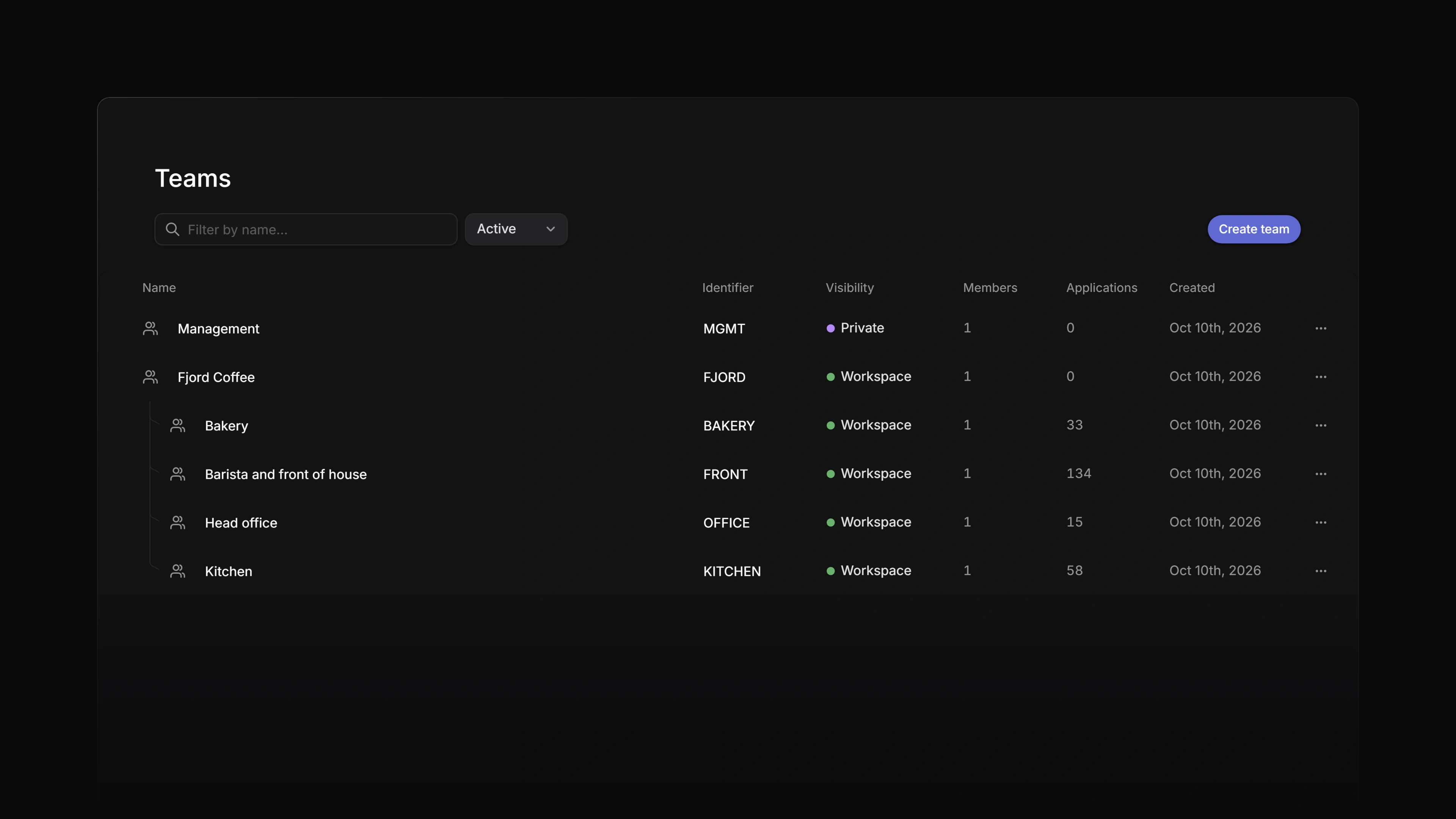
Sub-teams let you place one team underneath another team so your workspace can reflect how hiring work is organized.
Sub-teams are available on Business and Enterprise plans.
 Zoom image
Use sub-teams when one recruiting group contains more specialized hiring groups, such as Recruiting > Executive Search or EMEA > Germany. The child team keeps its own jobs, applications, members, and settings, while selected parent-team resources can be reused to keep the group aligned.
Plan limits
Sub-team depth depends on the workspace plan.
| Plan | Sub-team depth |
|---|---|
| Free | None |
| Basic | None |
| Business | 1 level |
| Enterprise | 5 levels |
Existing hierarchies remain readable if a workspace later moves to a lower plan. New parent changes and new sub-teams are checked against the current plan.
Create a sub-team
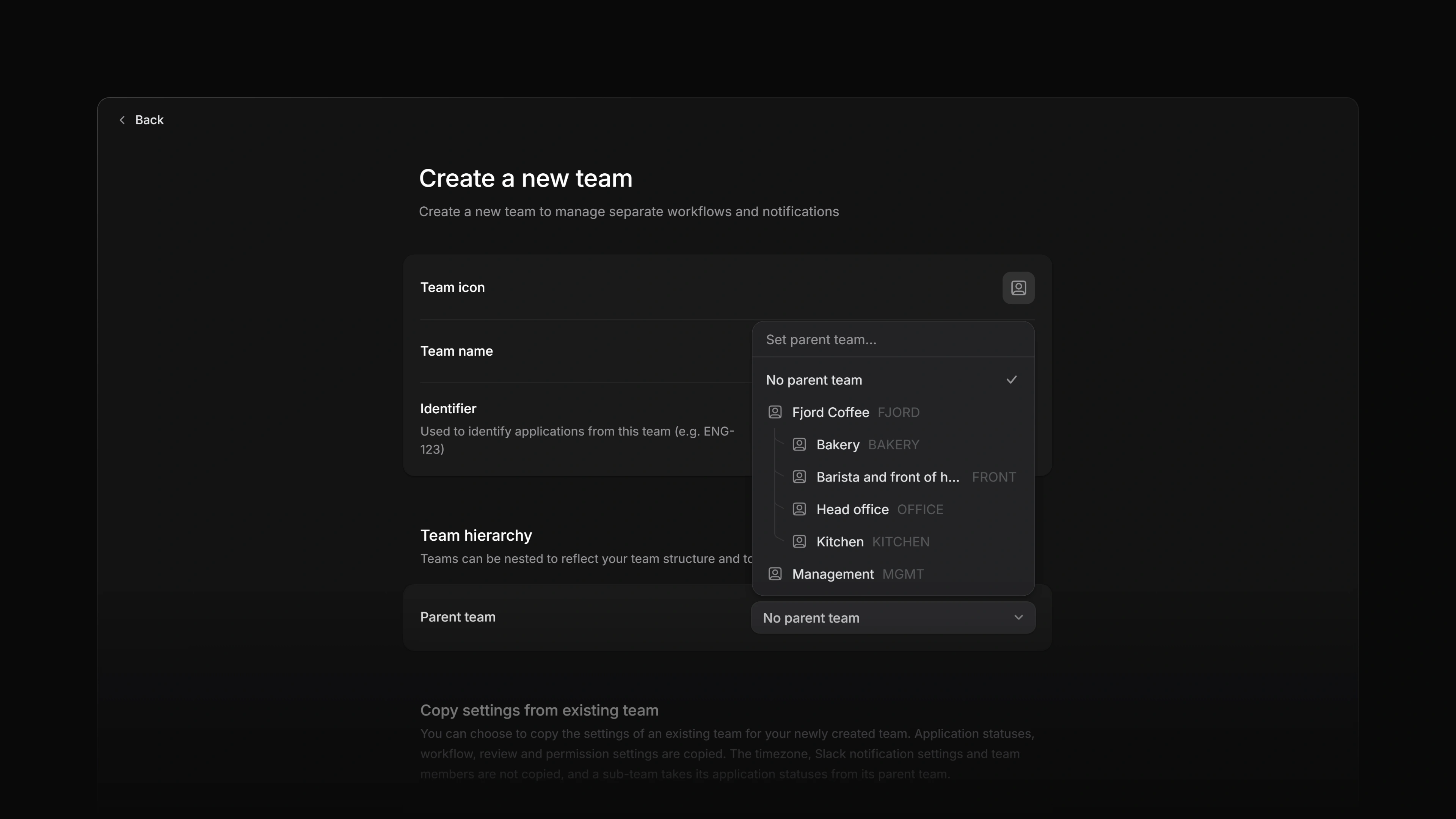
When creating a new team, choose a parent team in the Parent team field.
 Zoom image
If the parent team is private, the new sub-team must also be private. The create form applies that privacy rule before saving, and the backend enforces the same rule.
New sub-teams default to inheriting their parent team's application statuses. If you copy settings from another team while creating a sub-team, Attia keeps inherited status behavior aligned with the parent.
Move an existing team
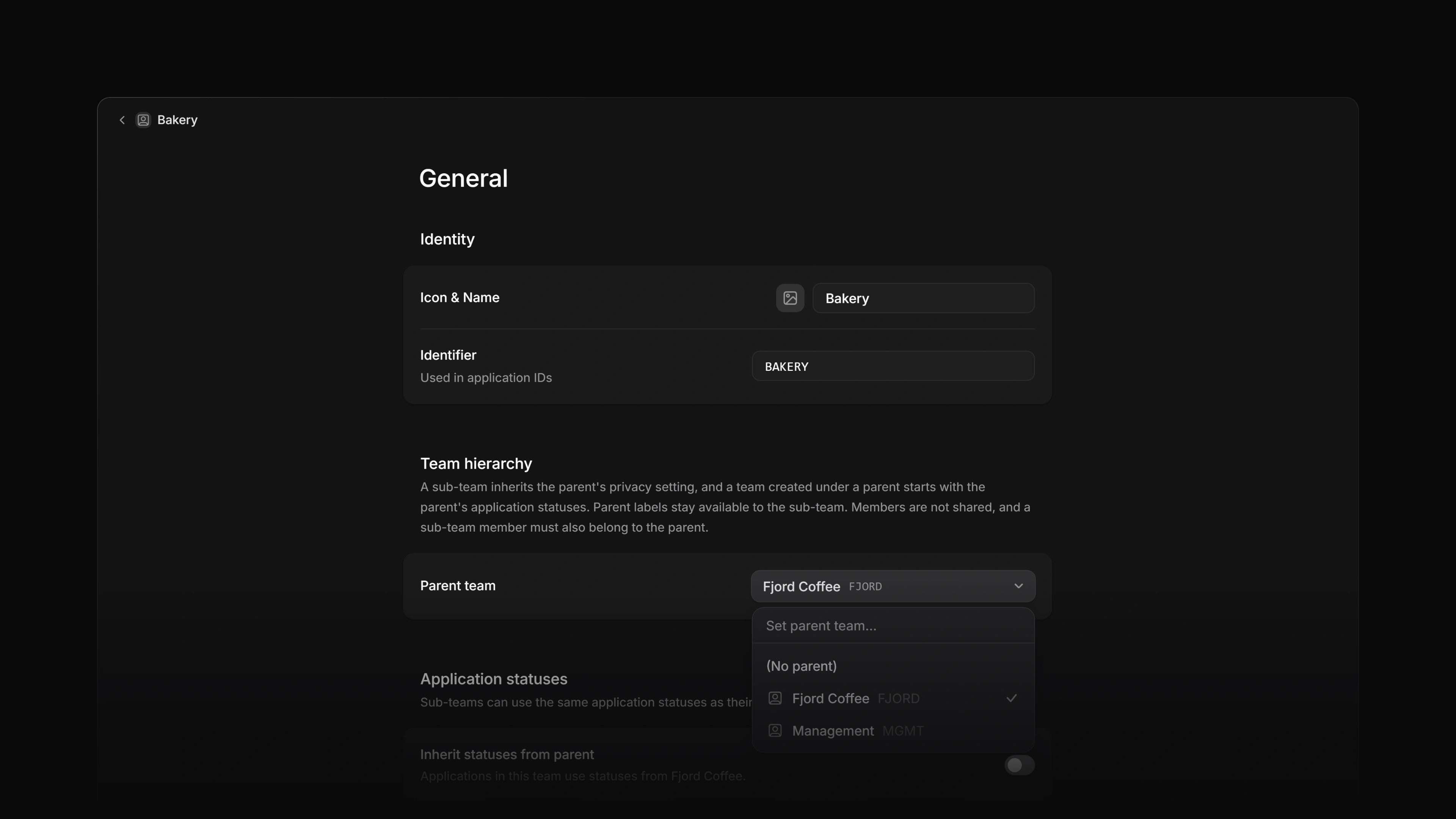
Open the team's settings, then use Team hierarchy to select a parent team or choose No parent team.
 Zoom image
Changing a parent team can affect access and inherited resources. Attia may ask you to confirm:
- Parent-team memberships for non-guest members who belong to the moving team.
- Application status mappings when the team inherits statuses from a parent.
- Application label mappings when assigned labels came from the old parent.
- A privacy cascade when a public team would move under a private parent.
Those confirmations protect existing applications and labels while keeping the hierarchy consistent.
Private parent teams
Private parent teams can only have private sub-teams. Public parent teams can have public or private sub-teams.
Private-team access is still team-specific. A member of a private parent team does not automatically see every private sub-team unless they also belong to that sub-team or are a workspace owner.
Guests are the membership exception. A guest can belong to a designated sub-team without also being added to every parent team.
Membership
For regular workspace members, sub-team membership requires parent-team membership. If a non-guest member is added to a sub-team, they must also belong to the parent team.
When moving a team under a new parent, Attia previews the missing parent memberships that need to be added. After confirmation, those memberships are inserted as regular team-member rows. Existing lead roles in the parent chain are preserved.
When removing a member from a parent team, Attia checks whether that person still belongs to child teams. If they do, you can confirm removal from the affected sub-teams first so the hierarchy remains valid.
Some team settings can come from the parent team. Others remain independent so each recruiting group can run its own hiring workflow.
| Feature | Sub-team behavior |
|---|---|
| Membership | Regular members of a sub-team must also be members of the parent team. Guests are exempt. |
| Application statuses | Sub-teams can inherit application statuses from the parent team. Inherited statuses can be used by applications in the sub-team. |
| Application labels | Sub-teams can use workspace labels, their own team labels, and labels from active parent teams. |
| Privacy | A sub-team under a private parent must also be private. |
| Jobs and applications | Jobs and applications remain owned by the sub-team. |
| Team timezone and workflow settings | These stay independent. Copying settings from another team during team creation copies the workflow settings but not the timezone. A new team starts in the creator's browser timezone. |
Un-nesting a sub-team
To remove a parent, open the team's hierarchy settings and choose No parent team.
When a team is un-nested:
- Inherited application statuses that are actively used are copied into the team and applications are remapped to those local copies.
- Inherited application labels that are actively assigned are copied into the team and assignments are remapped.
- Inherited statuses or labels that are not in use are not carried over.
- Team members remain on the team, but parent membership is no longer required.
This keeps existing applications intact while removing the dependency on the old parent team.
Multi-level sub-teams
Enterprise workspaces can nest teams up to five levels below a root team.
Screenshot coming: Selecting a sub-team as the parent team
Attia prevents cycles, so a team cannot be moved under itself or under one of its own descendants. Parent choices that would exceed the plan's depth limit are filtered out and rejected by the backend if submitted directly.