
Assigning applications
Give each application one owner, take applications yourself, and find the ones assigned to you.
Overview
An application has one assignee at a time: the member who owns the next step with that candidate. When everyone can see who holds an application, nobody waits for someone else to reply, and nothing sits unowned.
Assigning an application also puts it in the assignee's My Applications and sends them an Inbox notification.
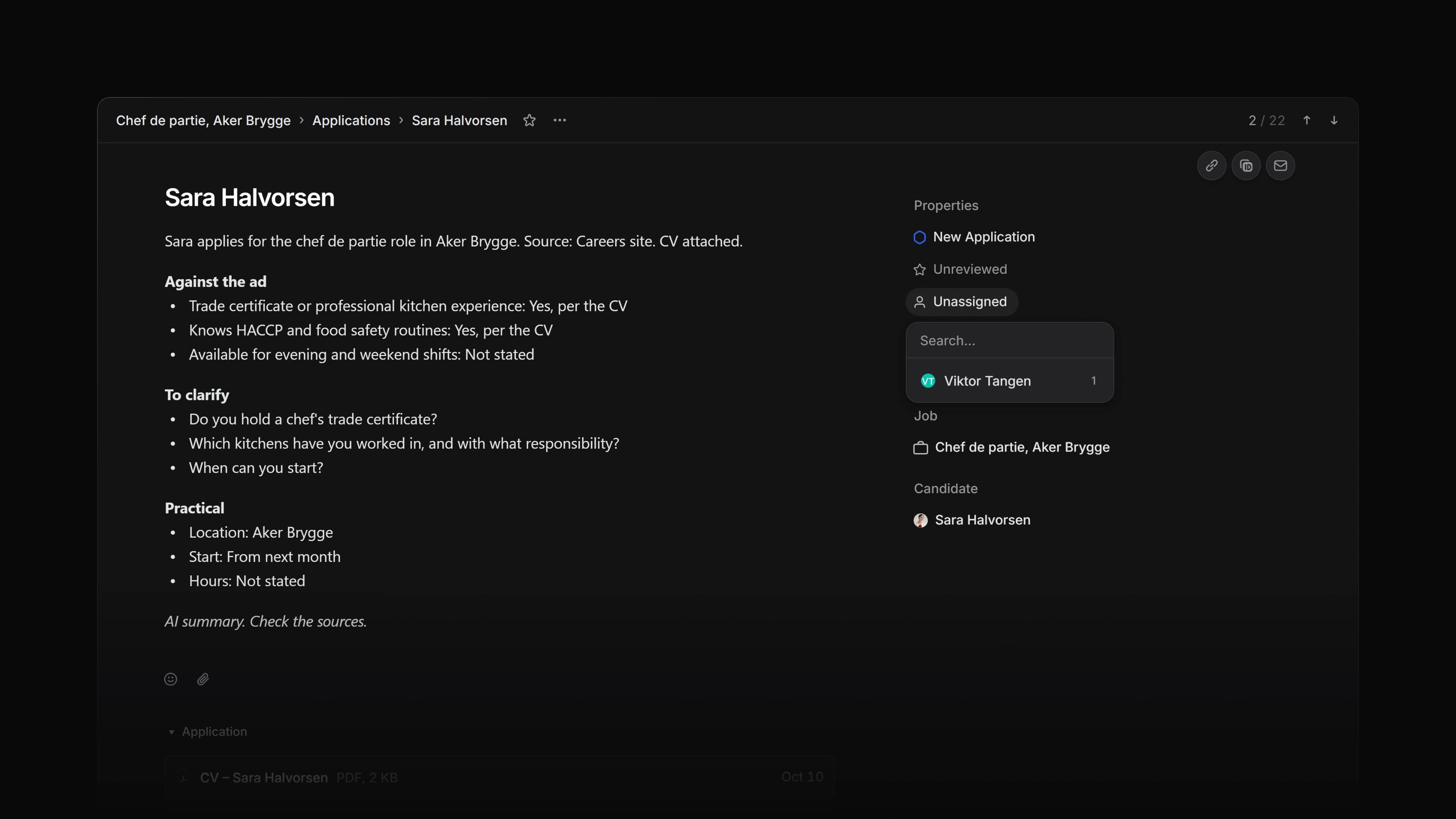 Zoom image
Assign an application
Open the application and select Assignee in the property rail, then pick a member. Press A on the application page to open the same picker. Choose Unassigned to clear it.
In an applications list, focus a row and press A to open the picker for that row. Press I to assign the row to yourself.
To take several applications at once, select their rows with X and press I. Every selected row goes to you.
My Applications is read-only, so assign from the application itself or from an applications list.
You can also ask Attia Agent to assign an application. The application's activity then shows the agent as the one who made the change.
Who can assign, and who can be assigned
Anyone who can edit an application can change its assignee.
The assignee has to be an active member of the workspace. When a list cannot name the member an application is assigned to, for example because they have left the workspace, the Assignee column shows Former member rather than Unassigned.
Find the applications assigned to you
My Applications in the sidebar opens on its Assigned tab, which holds every application assigned to you. Press G then M to go there from anywhere.
In an applications list, Assignee is a column, and you can filter the list by it.
History
The application's activity records each change of assignee and who made it, for example "assigned the application to Kari Nordmann" or "removed the assignee".
Inbox
When an application is assigned to you, you are subscribed to it, and your Inbox gets a notification such as "Ola Nordmann assigned the application to you". From then on, updates to the application reach your Inbox like any other subscription.
Assigning an application to yourself does not notify you, because you made the change.