Lists, boards and tables
 Zoom image
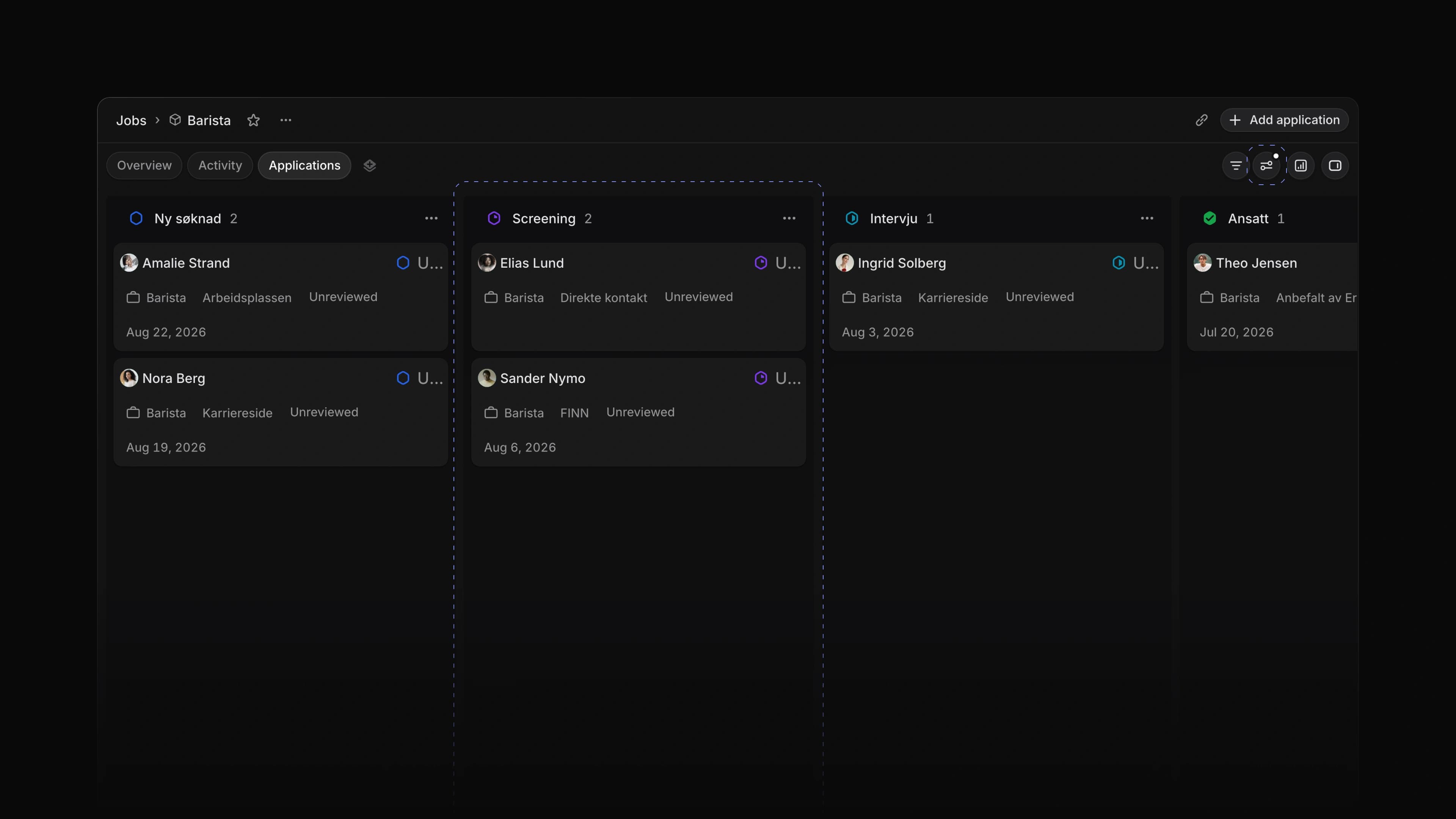
Different work needs a different view. Moving candidates from one stage to the next fits a board. Checking twenty jobs for a missing lead fits a table. A quick look at what came in today fits a list.
Jobs and a team's Applications now open as a Table, a Board or a List, with the same controls in each. Choose Display options to group by a property, add a sub-group, set the order and pick which properties show. On a board you choose the Columns and Rows instead.
To start, open Jobs, choose Display options and pick Table, Board or List. Press Cmd B, or Ctrl B on Windows, to switch between them.
Bulk edits
Select rows with their checkboxes, or press X on a row. Hold Shift and press ↑ or ↓ to add the next row. Change a property such as status on one of the selected rows, and the change goes to all of them. Attia tells you how many rows it changed, and Cmd Z, or Ctrl Z on Windows, undoes the whole edit in one step.
Column controls
Drag the edge of a table column to make it wider or narrower. On a board, hide the columns you do not need. They wait under Hidden columns until you want them back.
Quick actions on a job
Hover a job in the list or table and open its menu, or right-click it, to Open it, Copy link or Delete job.
Saved views
Keep a setup you use every day as a view. Choose Add new view, the plus at the end of the view tabs, set your filters and layout, name the view and save it. A view keeps its filters, layout, grouping, ordering and the properties it shows. Save it for yourself, for the whole workspace or for one team. Each view tab has a menu with Copy link, Favorite, Edit, Duplicate and Delete, and a favorite view sits in the sidebar under Favorites. Views work on Jobs, Candidates and a team's Applications, and the Views page lists them all.
Media library
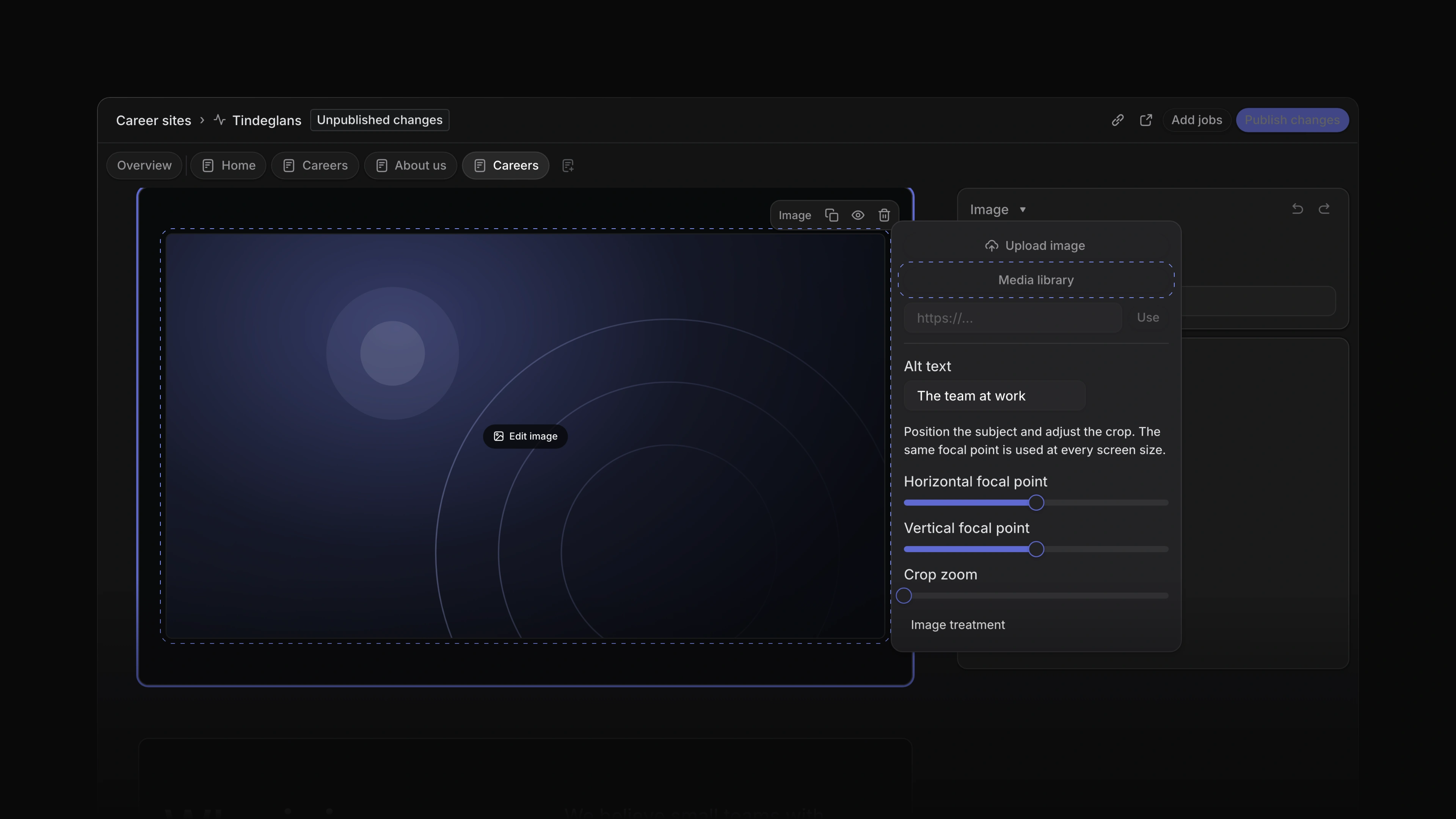
Every image and video you upload for a career site now goes into the workspace's Media library, ready for any block on any page of any career site. Write alt text, move the focal point and zoom to crop; the same focal point holds at every screen size. Image treatment shows the image as Default, Rounded or Full bleed. The Video block plays an MP4 or WebM up to 100 MB, or a video from a link, with a poster image to show before it plays. The library shows how many career sites use each file. Attia does not delete a file a page still uses: remove it from the draft and published pages first. To start, open a career site page, click an image, choose Edit image and then Media library.
 Zoom image
Candidate messages by email
A message you send a candidate from an application now reaches them by email, with an Open in Attia button that takes them to it. They sign in with a code sent to their email, answer on their application page, and the reply shows in the application's Activity. Each message shows its email state: Email queued, since the email goes out about a minute after you send, then Emailed, or why it could not go out, such as Email off, No email address or Email bounced. Every email has an Unsubscribe link. A candidate who turns email off still sees your messages on their application page and can turn email back on under Hiring-team messages in their settings, and the message box tells you when email is off for them. To start, open an application, go to Activity, choose To candidate and choose Send to candidate.
- Views Added an exact date to date filters.
- Views Made long lists and boards scroll smoothly, even with many rows.
- Settings Added First day of the week under Preferences, so every date picker starts the week on the day you choose.
- Settings Added Leave workspace and Delete account under Profile in Settings.
- Career sites Added an error page and a not found page in your career site's own colours, with a link back to the site.
- Jobs Changed a job's activity to show a burst of edits to one property as one row with the final value.
- Candidates Added a line on a candidate with no application that says where a CV goes, with a shortcut to add them to a job.
- Views Added
JandK, or the arrow keys, to move between rows, andEnterorOto open one. - Views Added
Xto select a row, andShiftwith an arrow key to select the next one too. - Views Added
ShiftVto open Display options andFto open the filters.
- Applications Fixed applications with no one assigned disappearing from the board when empty groups were shown.
- Views Fixed cards jumping back when you dragged two in quick succession on a board.
- Views Fixed date filters such as 1 day ago not moving along as time passed.
- Career sites Fixed the live career site showing the old version for a while after you published.
- Career sites Fixed Publish changes leaving out the edits you had just made in the builder.
- Career sites Fixed a new workspace logo taking a while to reach the live career site.
- Career sites Fixed the starter pages of a new workspace putting the footer above the page content.
- Career sites Fixed a refused change to a career site showing an unclear message, or one in the wrong language.
- Career sites Fixed a job linked from a career site not opening.
- Career sites Fixed the site's more actions menu showing when it had nothing in it.
- Candidates Fixed candidates losing their place after they asked for a new sign-in code.
- Candidates Fixed a candidate who asked for too many sign-in codes seeing the same error again and again.
- Candidates Fixed a newly signed-in candidate seeing an error before their first application.
- Career sites Fixed a candidate's answers being lost when an uploaded file was refused.
- Candidates Fixed application dates on a candidate's page disagreeing with the activity.
- Inbox Fixed the app navigation missing from Inbox on a phone.