Introducing Loops
 Zoom image
Some recruiting work comes back every week: going through new applications, checking on a job, following up when an application reaches a status. Until now someone had to remember to do it.
A Loop now does it for you. You choose what starts it and what it should do, and it runs on its own from then on.
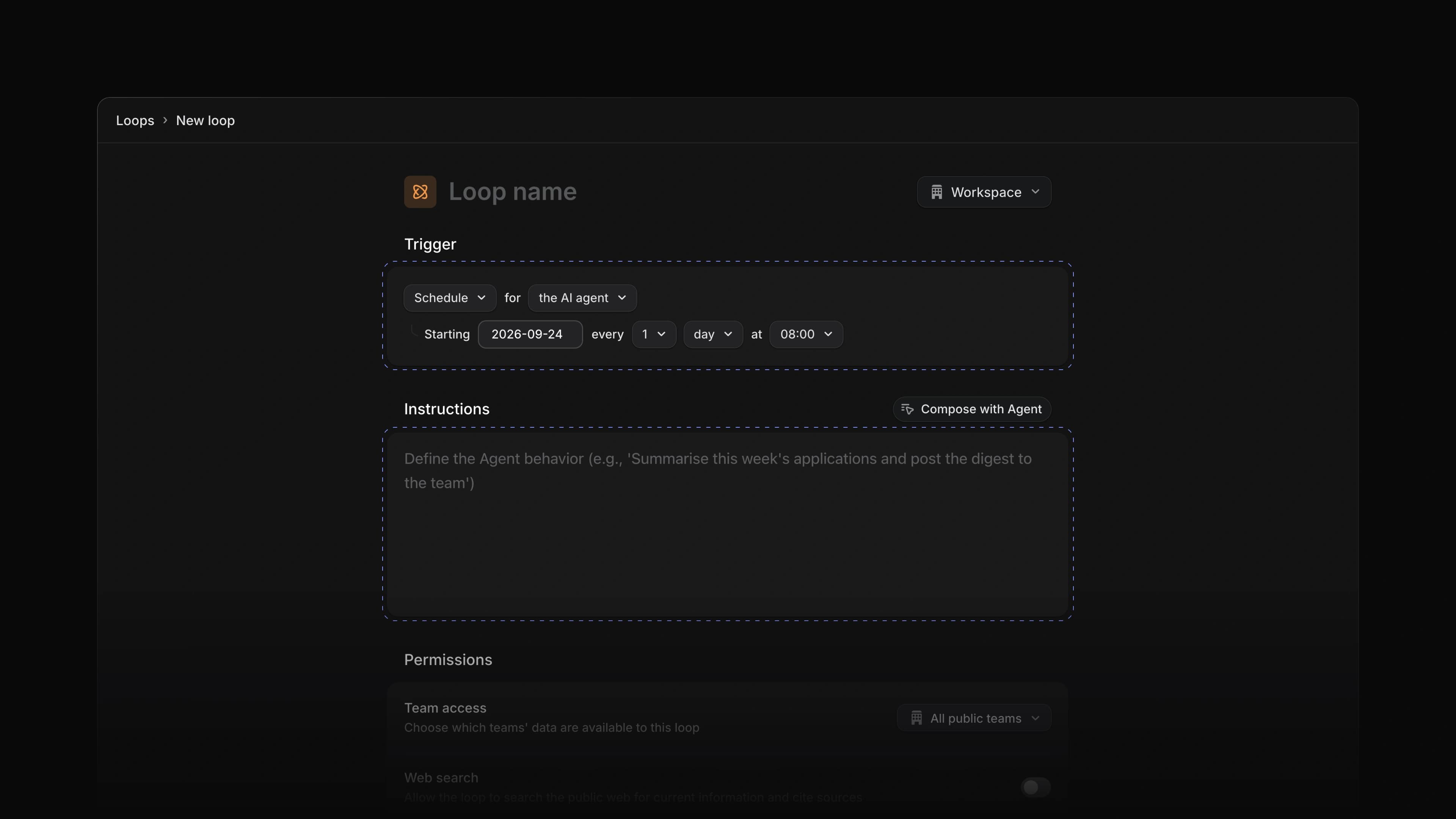
For example, a Loop can run every Monday morning and have Attia Agent go through last week's applications with the instructions you wrote. To start, choose Loops in the sidebar and choose New loop. Loops are part of the Basic plan and up.
Triggers
Under Trigger, choose Schedule to run on a set day and time, or Application or Job to run when one changes. An application trigger can narrow to one job and one status, and runs about a minute after the change.
Instructions
Write what the Loop should do under Instructions. Compose with Agent helps you write them.
Versions and run history
Your edits are saved as a draft, and a Loop runs the version you publish. Published versions keeps the earlier ones. Run history shows each run and what it did.
Agent page
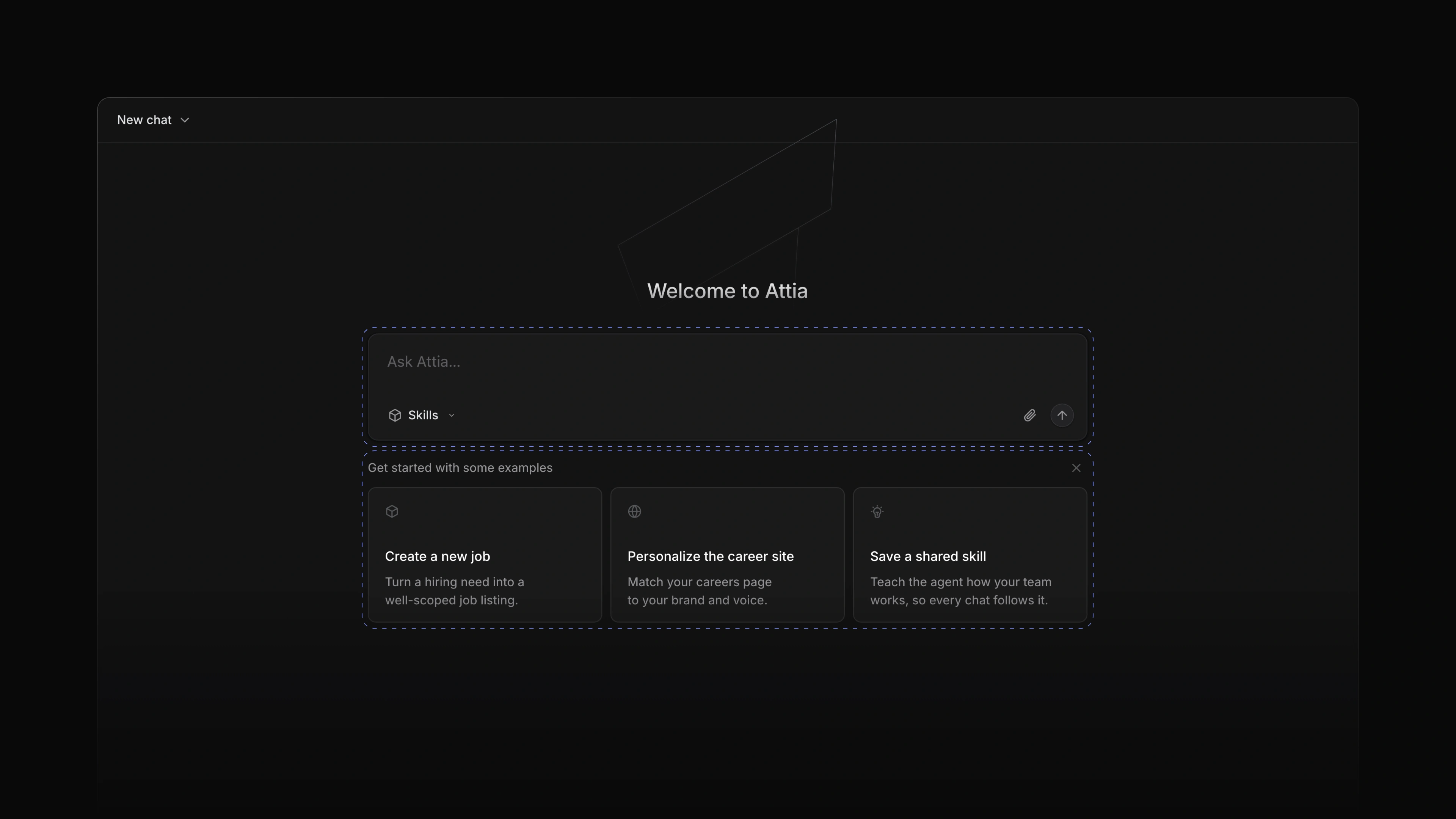
Attia Agent has its own page. Start a chat from Ask Attia…, open an older one from Chat history, which you can now search, and star the chats you come back to. From a chat's menu you can copy it as markdown or delete it. In an application's comments, type @ and choose Agent, and Attia replies in the same thread for everyone on the application to see. To start, choose Agent in the sidebar, or set Default home view to Attia Agent under Settings, Preferences to land there every time you open Attia.
 Zoom image
Interface themes
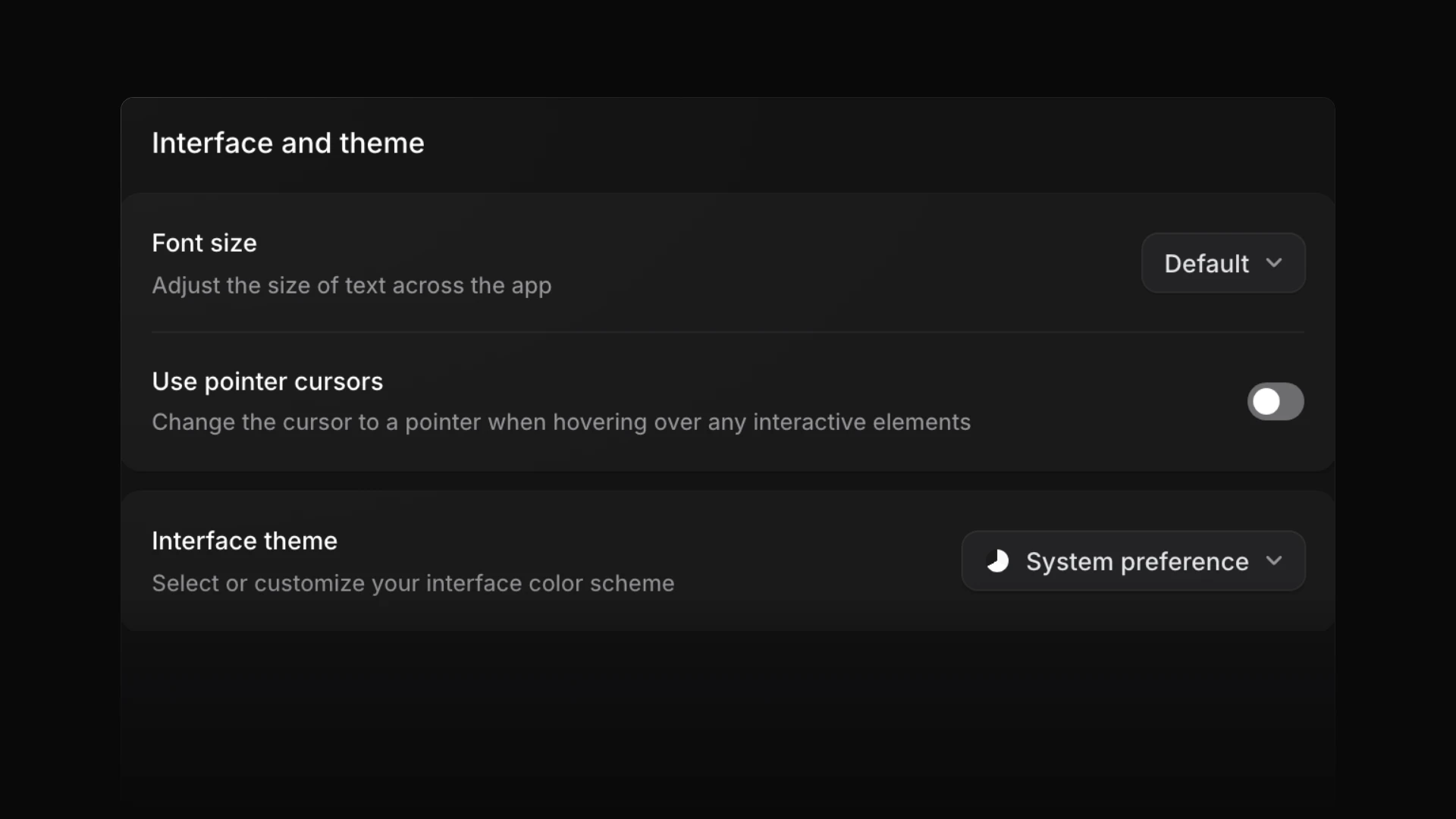
Pick a theme under Settings, Preferences, Interface theme: Light, Pure light, Dark, Classic dark or Magick blue, or System preference to follow your computer's light or dark setting. Custom gives you an accent colour, a background colour and a contrast slider, starting from the theme you had, and Custom sidebar theme gives the sidebar its own accent and background. Attia keeps the theme in the browser you picked it in.
 Zoom image
AI credits and usage
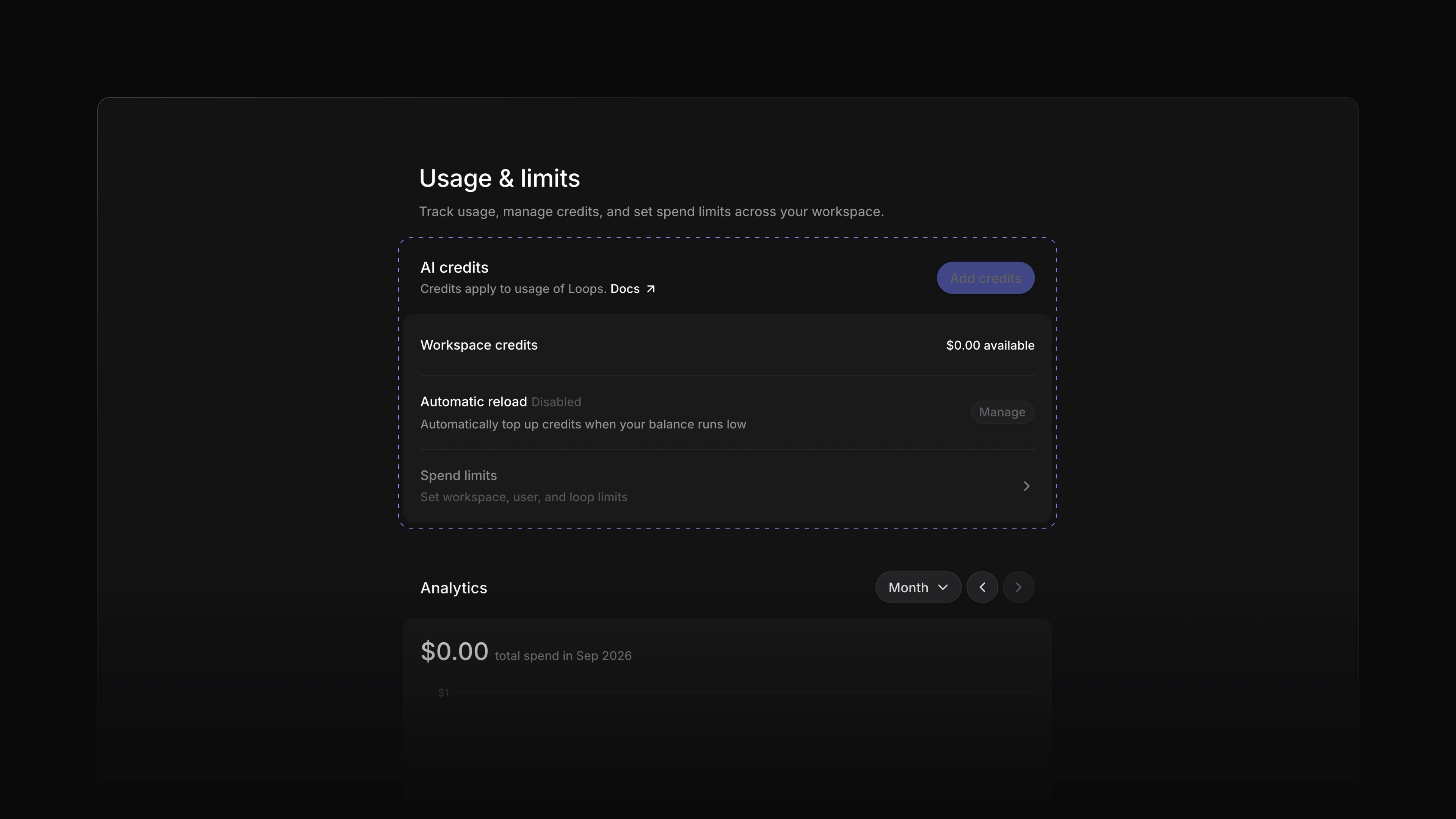
Admins now have a Usage page in Settings. It shows the workspace's AI credits, what used them each month, and every usage session. From there you can turn on automatic reload. To see it, open Settings and choose Usage.
 Zoom image
- Settings Changed the invite dialog so you can add a new member to teams as you invite them.
- Views Changed list views so the columns line up from row to row.
- Jobs Added place search to the Locations picker on a job.
- Jobs Added a Publishing card to the job overview that shows the dates the job is published.
- Jobs Changed a job to close overnight once its application deadline has passed.
- Jobs Added Undo to the toast after you delete a job, application or candidate.
- Career sites Added Undo and Redo to the career site page designer.
- Career sites Changed the header and footer of a career site page into blocks you edit like the rest.
- Career sites Added career site edits to Attia Agent: it rewrites a block's text, switches its layout, adds, moves or removes blocks and changes the logo, colours and typeface, all in the draft you publish, and it asks you before it removes a block.
- Documents Added New document on a team's Documents page, which opens the document in a dialog over the page you are on and throws it away if you close it empty.
- Settings Rebuilt the search in the Settings sidebar.
- Settings Fixed the invite dialog showing an empty tile instead of your workspace logo.
- Applications Fixed message attachments downloading when you opened them; they now show a preview.
- Settings Fixed checkout and the billing portal opening in a different language than the page.
- Settings Fixed scrollbars and selected text ignoring the colours of the chosen theme.
- Settings Fixed dialogs using a different card colour from the rest of the theme.