Experience and education
 Zoom image
A candidate page held contact details, labels and files, but not where the person had worked or studied. To see that, you opened their CV again.
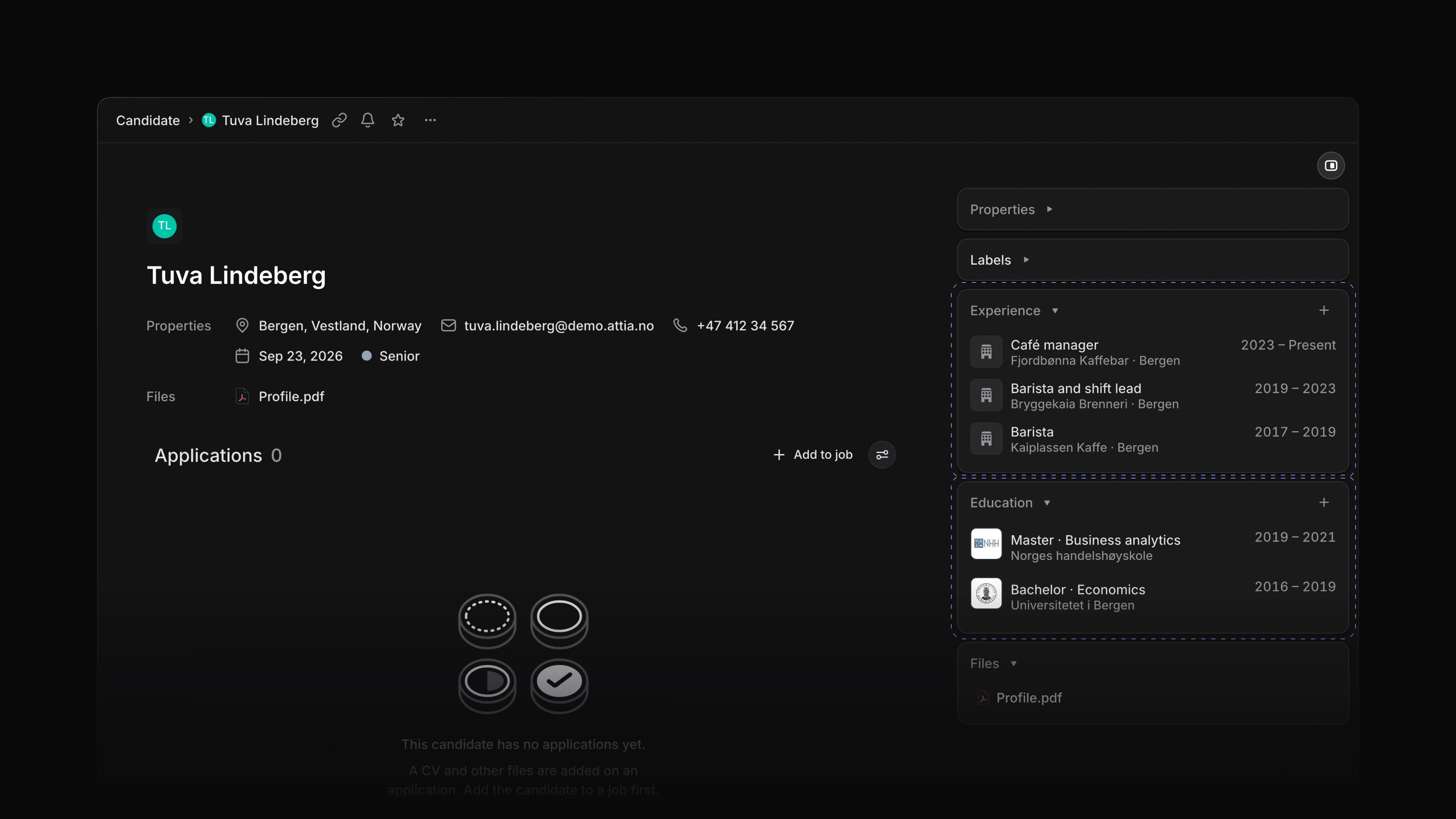
Candidate pages now have an Experience card and an Education card in the side panel, between Properties and Files. A job shows the title, company, place and years. A school shows the name, degree, field of study and years.
To start, open a candidate and choose the + on the Experience or Education card.
One dialog for both
Adding a job and adding a school use the same dialog. Pick a company or school from the list or type a new name, then add the years. Leave the month blank if you are unsure, and tick I work here now for a current job.
Edit or delete a row
Choose a row to open it again. Change what you need and save, or choose Delete.
Attia Agent reads experience and education
When you ask Attia Agent about a candidate, it now reads their jobs and schools along with the rest of the record, so you can ask about a person's work history and studies.
Candidate profiles
A candidate who applies through Attia now has a Profile page in their candidate account, with the same Experience and Education cards. Employers see the profile with the candidate's applications, and a change shows right away. Under Settings, the candidate chooses whether every employer on Attia can see the profile or only the employers they apply to. Their email and phone only go to employers they apply to, and Attia tells them so when they apply and when they sign in.
Career site overview
Each career site now opens on an Overview tab. The site's status, lead and members sit at the top, design and SEO sit in their own rows under the site name, and the linked jobs sit further down the same page as a compact list with no sideways scrolling. To start, choose Career sites in the sidebar and pick a site.
- Applications Added a Labels filter to applications lists; pick two labels to see the applications that carry either one.
- Loops Added a delay of its own to the Send reminder step, so it reminds the candidate while their answer is still due.
- Loops Changed a Loop run to show every step, including the ones it skipped, and the path it took.
- Applications Fixed every Review option in the filter menu showing the same full star; each star now fills to its rating.
- Applications Fixed Candidate having no icon in the filter menu of an applications list.
- Agent Fixed Attia Agent offering Try this again when it could not run at all; it now says Attia is temporarily unavailable.
- Career sites Fixed a link to a section of the page stopping at # while you typed it in the career site page designer.
- Career sites Fixed an empty text field on a career site block publishing sample text.
- Career sites Fixed the career site preview switching back to light when you opened another page.
- Loops Fixed Run loop starting a Loop that has no steps; it now says why it cannot run.
- Settings Fixed the Attia Agent row under AI & Agents in Settings showing Enabled for every workspace; it now opens a page where an admin turns the agent on or off.
- Applications Fixed Review values on an applications board showing in English when Attia was set to Norwegian.