Edit candidates with Attia Agent
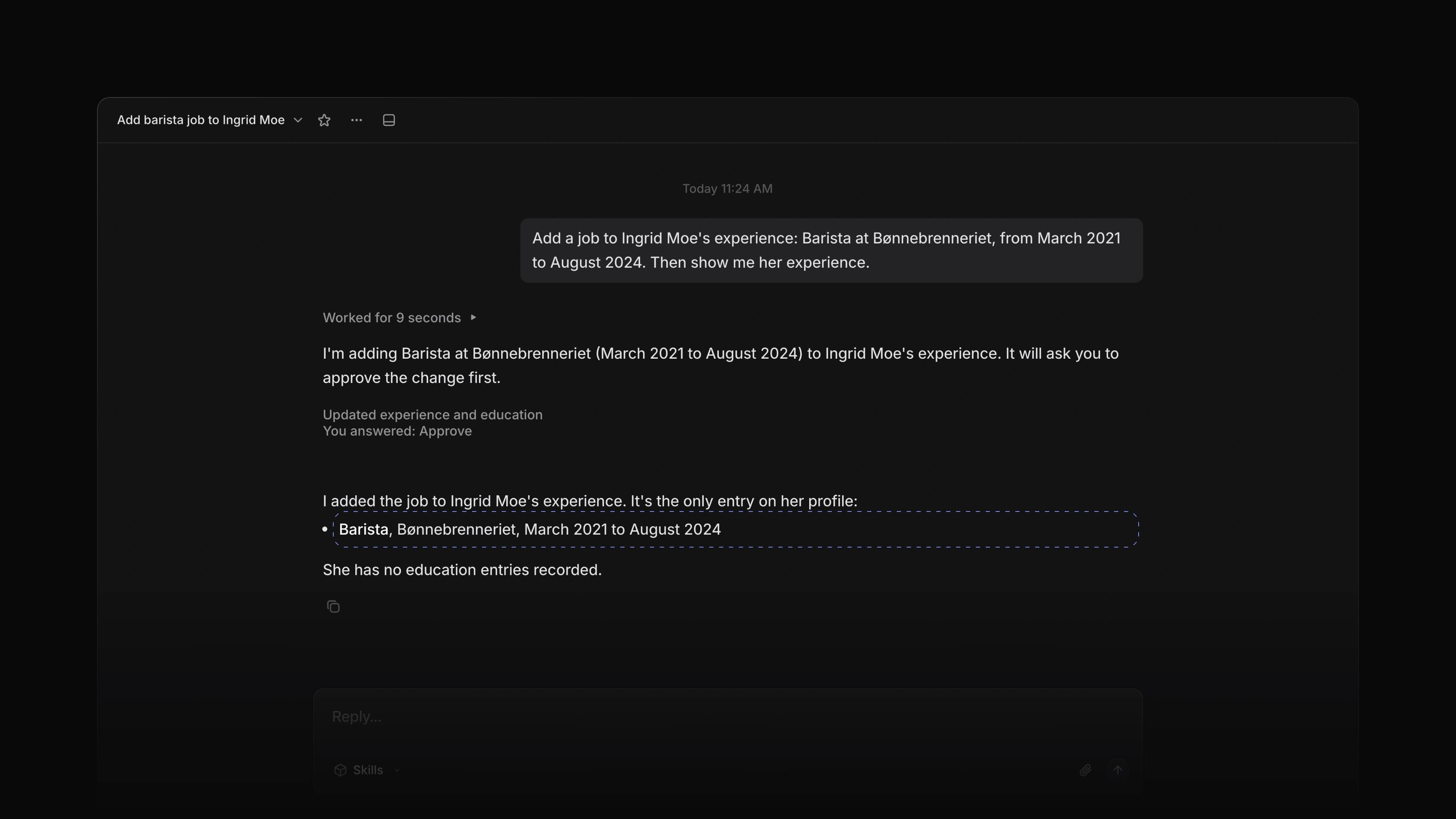 Zoom image
Attia Agent could read a candidate, but it did little work on one. To add a job from a CV or move an application on, you left the chat and did it yourself.
Now the Agent reads the files on a candidate or an application, edits the candidate, and moves an application to the status you name. Every change waits until you choose Approve.
It reads the files
Ask about a candidate or an application, and the Agent reads the CV and the other files on it along with the rest of the record. It reads the text of a PDF or a text file. For an image or another kind of file, it sees that the file is there but not what is in it. It opens only the files you can open yourself.
It edits the candidate
Ask the Agent to change a candidate's name, phone or location, or to add, change or remove a job or a school under Experience and Education. It can take the rows from a CV it has read. A candidate who linked their own Attia profile keeps their own details, and the Agent does not change them.
It moves an application
Name the status, and the Agent moves the application there. It never picks a status on its own. It follows the same rule as the status menu, so it moves only an application you could move yourself.
It knows who is on Attia
When you ask the Agent to create a candidate whose email belongs to a person on Attia, it says so and tells you to open the candidate and link the profile from the top of the page. It does not link anyone on its own.
To start, choose Agent in the bottom right corner and ask about a candidate.
File preview
Choose a file on an application, and it opens in a window over the page. Drag the window by its top bar to move it, and drag an edge or a corner to resize it. A PDF fits the width of the window, and the pages bar shows each page so you can jump to it. The window remembers its place and size on your device, and Escape closes it. The application peek now has a Files row with the CV, the files from the answers and the documents, and each one opens in the same window.
Birth date, Location and Gender questions
Three new question types save the answer to the candidate's profile. Birth date shows the team only the candidate's age, which appears as Age in the candidate's Properties and as Applicant age in Insights. Location lets the candidate pick a place from a city search, and Attia keeps the place they picked. Gender is private by default, and the candidate chooses whether the employer sees it.
Create and link
When the email in Create candidate belongs to a person on Attia, the dialog now says This person is on Attia. Choose Create and link to create the candidate and link their profile in one step.
- Applications Added a peek to the applications table; press
Spaceon a row to open it on the right, and it follows the row as you move. - Views Added Average as an Aggregation option on age charts in Insights.
- Jobs Added Live after the title of a job that is on the career site, in the Jobs list and board.
- Imports Changed PDF import to link more jobs and schools to the right company or school.
- Candidates Removed the Headline field from the candidates table, the candidate dialogs, search and hover cards.
- Candidates Fixed a downloaded file losing the name it was uploaded with.
- Candidates Fixed Location in the candidates table and on the candidate page opening a text box; it now opens the city search.
- Candidates Fixed the Labels picker on a candidate not letting you create a label, and spaces not working in a label's name in Settings.
- Loops Fixed a Loop condition on a job showing a long code when the status it named does not apply to jobs; it now says no job has that value.
- Loops Fixed Load more in a filtered run history not reaching older matches.
- Agent Fixed a sent message to Attia Agent showing its documents and time only after a moment.
- Billing Fixed a workspace admin not being able to start checkout.
- Accessibility Fixed the logo, avatar and candidate picture upload tiles not showing a focus ring when you reach them with the keyboard.
- Applications Fixed a reminder that was not sent because the request was already answered saying nothing; the message now says why.