Create jobs with Attia Agent
 Zoom image
A new job needs a lot of details: the title, the ad, who leads it, where the work is and what kind of contract it is. The ad itself takes the longest, and it has to sound like the jobs you already posted.
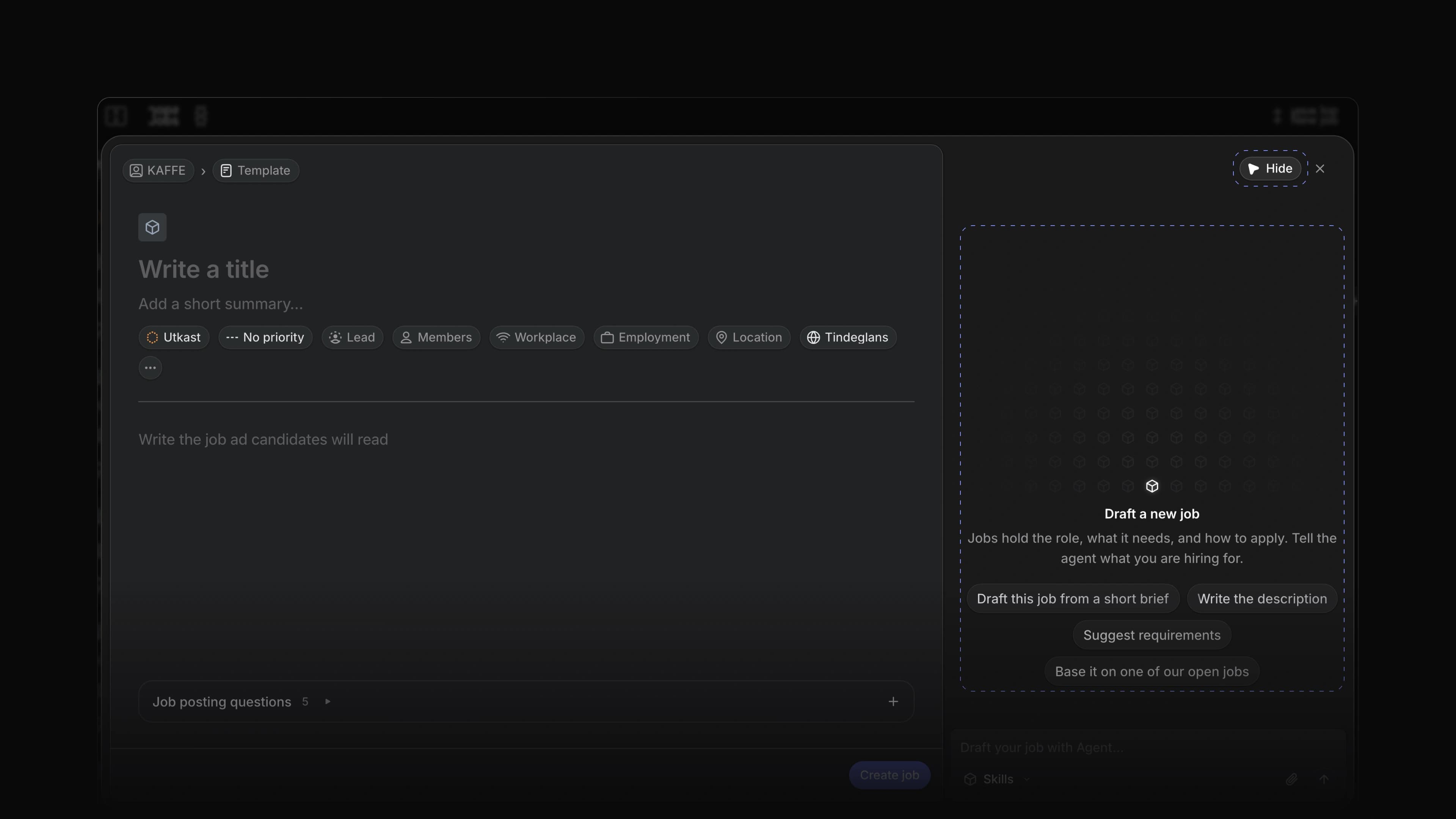
Create with Agent now writes the first version for you. Open it beside the Create job form, describe the role in a sentence or two, and Attia Agent fills in the form in the same voice as your workspace's other jobs. You check the fields and create the job yourself.
To start, choose Create new at the top of the sidebar, or press C, then choose Create with Agent in the header of the dialog.
A draft from a short brief
Pick Draft this job from a short brief, Write the description, Suggest requirements or Base it on one of our open jobs, or write your own request. Attia reads your workspace's jobs and job template, and can start from a template you name. It fills in the title, the description and the properties it has facts for. It never makes up a salary, a location or a number of positions.
A check before you create
Attia fills in the form and stops. A field you change while it works keeps your change. Each reply says what it filled in and what it assumed, and names anything it could not match, such as a team or a label. Nothing is saved until you choose Create job.
One chat per draft
The chat belongs to the draft and takes the job's title as its name, so it sits in Chat history as that job. Open a saved draft again in the same browser and the chat is where you left it.
Every detail in one place
Status, priority, lead, members, workplace, employment and location sit under the title. More properties adds the contract type, the number of positions, the start and target dates, labels and career sites. Pick one of the workspace's saved locations, and an admin can choose Add new location… to add another. A job template fills in the contract type and the number of positions for you.
Saved drafts
Choose Save as draft in the header once you have started. Each time you open Create job you start a new draft, so a job you are halfway through never blocks the next one.
Loop questions with a deadline
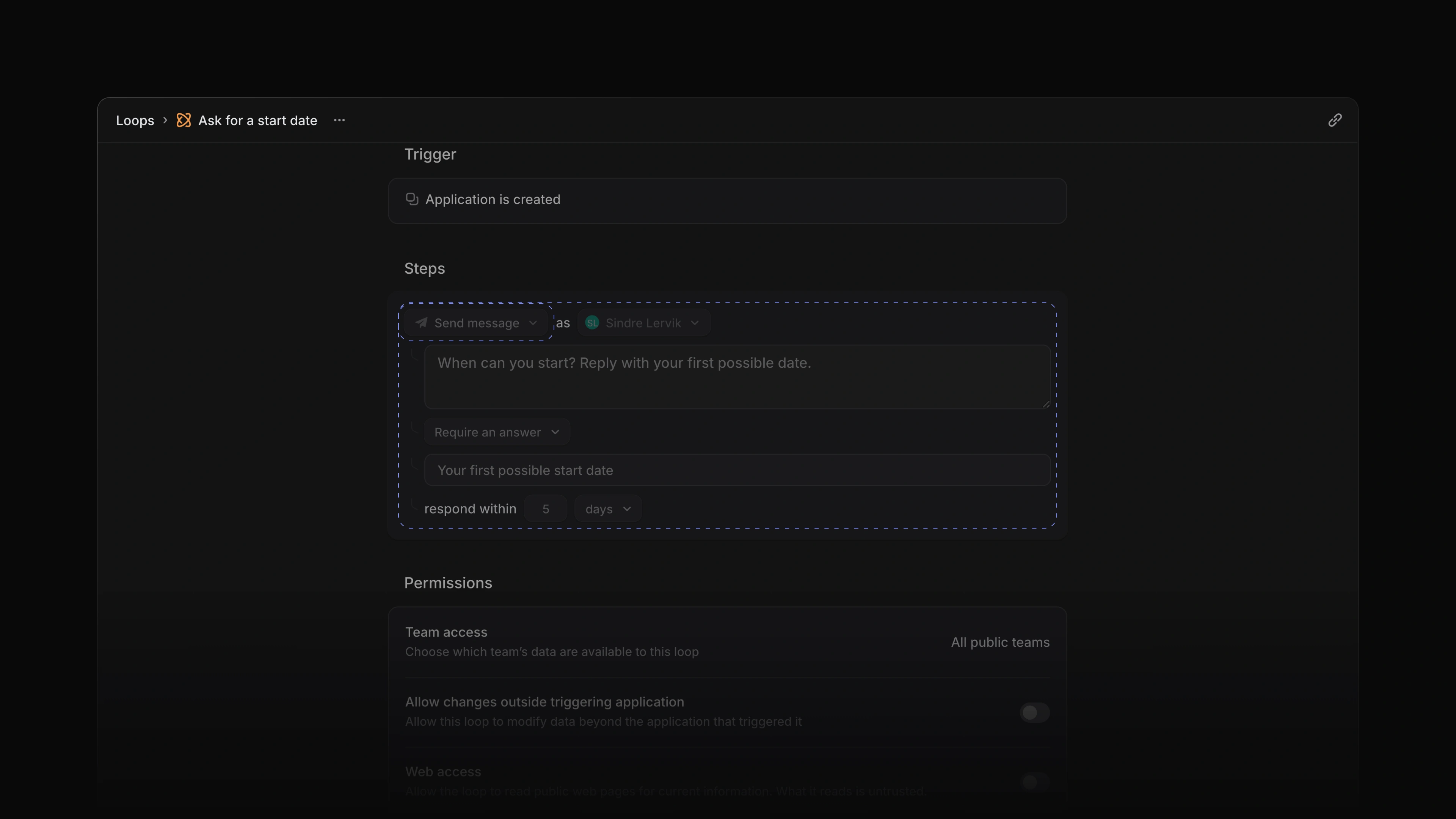
A Send message step in a Loop can now require an answer. Choose Require an answer and set how long the candidate has. The Loop waits at that step. The message tells the candidate to respond by the deadline, they answer once from their application page, and the request closes. The application's Activity shows Waiting for an answer with the due date, and then the answer. If the deadline passes with no answer, the Loop goes on to its next step.
 Zoom image
- Jobs Changed location search results to read on one line, such as Grünerløkka, Oslo.
- Loops Added Cancel run, Resume run and Start again to the menu on a Loop run, shown when the run can take them.
- Loops Changed a Labels trigger to ask whether a label was added or removed, so a Loop can start when a label is taken off.
- Loops Changed a Loop's schedule so it can run every few minutes, down to every five.
- Inbox Added an Inbox notification for a Loop's owner when a Wait step runs out of time.
- Jobs Fixed contract type and positions being lost when a job was saved as a draft.
- Jobs Fixed a discarded job draft coming back after the dialog closed.
- Jobs Fixed the create buttons starting a new job instead of bringing back the one you had minimized.
- Jobs Fixed the Create job controls not fitting on a phone.
- Jobs Fixed the publish date showing a different day in another time zone.
- Jobs Fixed the Job created message showing in English, and its View job button now opens the job at once.
- Jobs Fixed a job made in Create job going missing when you left the page right after.
- Views Fixed a new saved view showing an empty editor after a reload instead of the view.
- Views Fixed a pinned view opening with the filters you had set on another view.
- Agent Fixed Stop not stopping work Attia Agent had handed off to run in the background.