Career site builder
 Zoom image
A candidate often meets your company on its career site first. That site needs more than a list of jobs: a front page, a page about the team, your own look, and a way to publish changes only when they are ready.
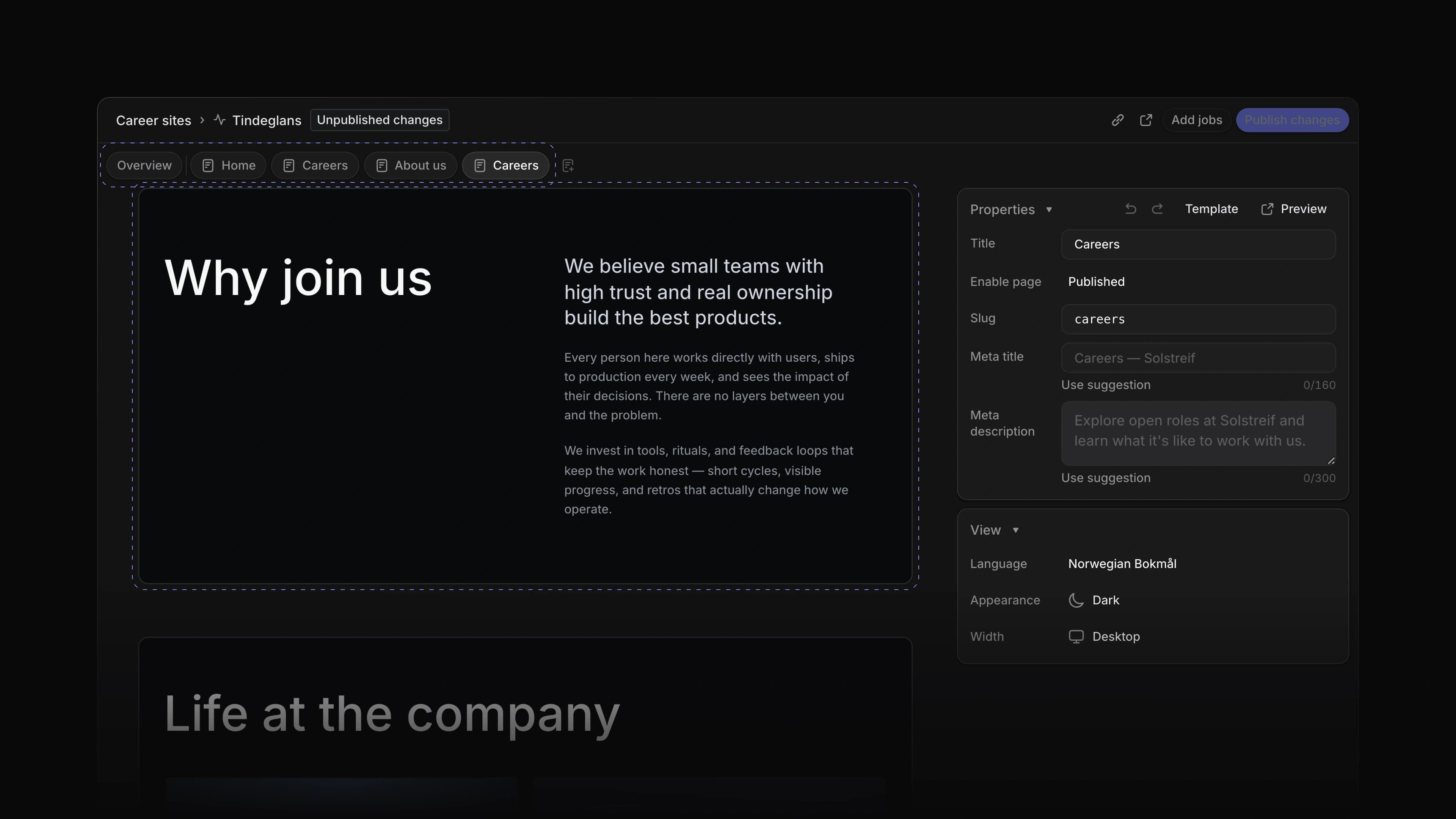
The career site builder puts the whole site in Attia. Each site has an Overview tab and one tab per page. Add a page with New page, and build it from blocks with Add block. When you are happy, choose Publish site and candidates see it. Later edits wait under Unpublished changes until you choose Publish changes. Only workspace admins can publish.
For example, you can add an About us page with a hero and a section about the team, check it, and publish it together with the front page. To start, choose Career sites in the sidebar, open a site and choose New page.
In-place editing
The page designer shows each block the way it looks on the public site. Click any text or image to edit it. Undo and Redo take back a change.
Block controls
Hide, duplicate, drag or delete a block. The header and footer are blocks too, so you edit them the same way.
One theme for every page
The theme, font, button style and corner radius you choose apply to every page of the site.
Search engine text
Each page has its own meta title and meta description. When one is empty, choose Use suggestion to fill it in.
- Settings Changed a new workspace to start with one team, named after the workspace.
- Settings Fixed creating a sub-team when you were not a member of the parent team.
- Career sites Fixed a candidate who had already applied seeing an empty form instead of their application.
- Agent Fixed Write with Agent opening in a different language than the one you use.
- Views Fixed a property dropdown in a list opening the row instead of changing the value.