Candidate labels
 Zoom image
Labels lived on applications, so a note like "referred by a regular" or "needs a work permit" stayed with one application. When the same person applied again, or sat in your talent pool with no application at all, you had to remember it yourself.
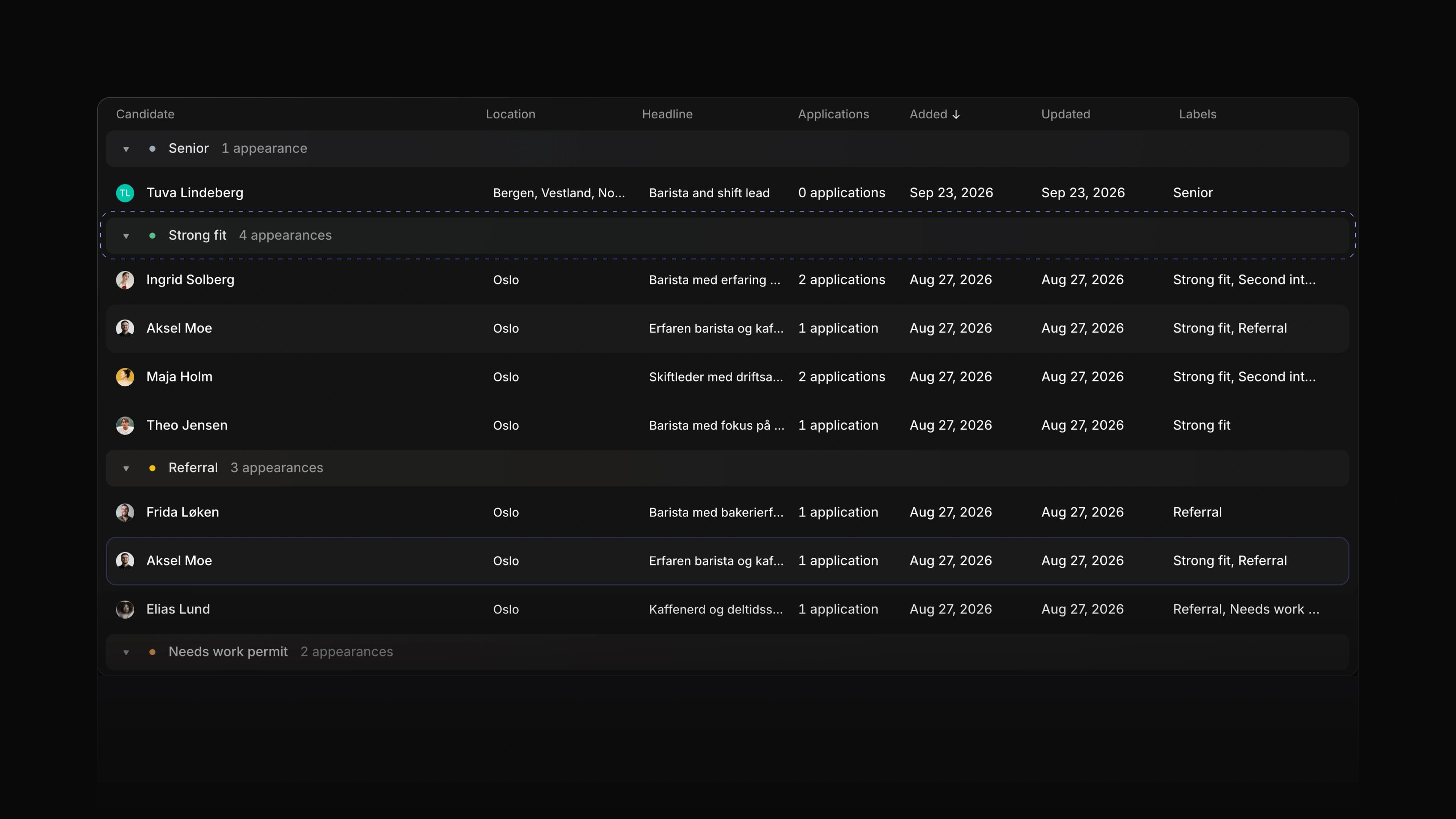
Candidates now have labels of their own. Your workspace keeps one list of candidate labels, you set them on the candidate page, and the candidates list shows, filters and groups by them. Attia Agent reads and sets them too.
Say you are hiring baristas and a roastery lead for a coffee roaster. Label the people you meet Strong fit, Referral or Needs work permit, then group the candidates list by label to see who to call first. To start, go to Settings, then Candidates, then Labels, and choose New label.
One list for the workspace
The Candidate labels page in Settings holds every candidate label. Give a label a name, a colour and a description, and put related labels in a group. Archive a label you no longer use, and restore it from Archived later.
Labels on the candidate page
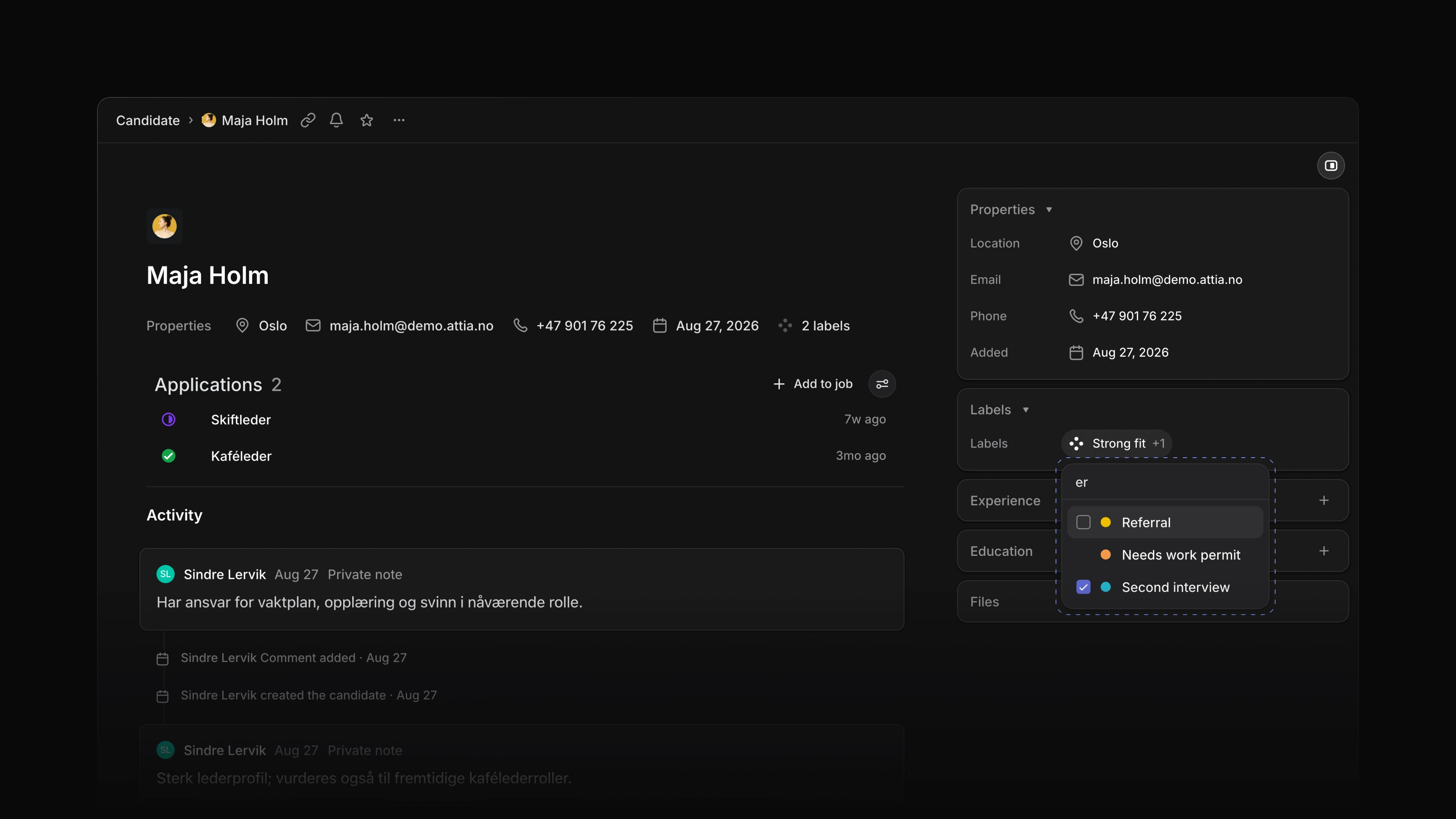
A candidate page now has a Labels field. Pick labels from the list, or remove one. A group allows one label at a time, so a candidate is never both Strong fit and Needs work permit when those sit in the same group. The activity on the page names each label that was added or removed.
 Zoom image
Filter and group the candidates list
The candidates list shows each candidate's labels. Filter the list by label, or open Display options and set Grouping to Labels to get one group per label.
Attia Agent knows your labels
Ask Attia Agent to label a candidate Second interview, or to find every candidate labelled Referral. It uses the same list and the same rules as the candidate page.
Company and school logos
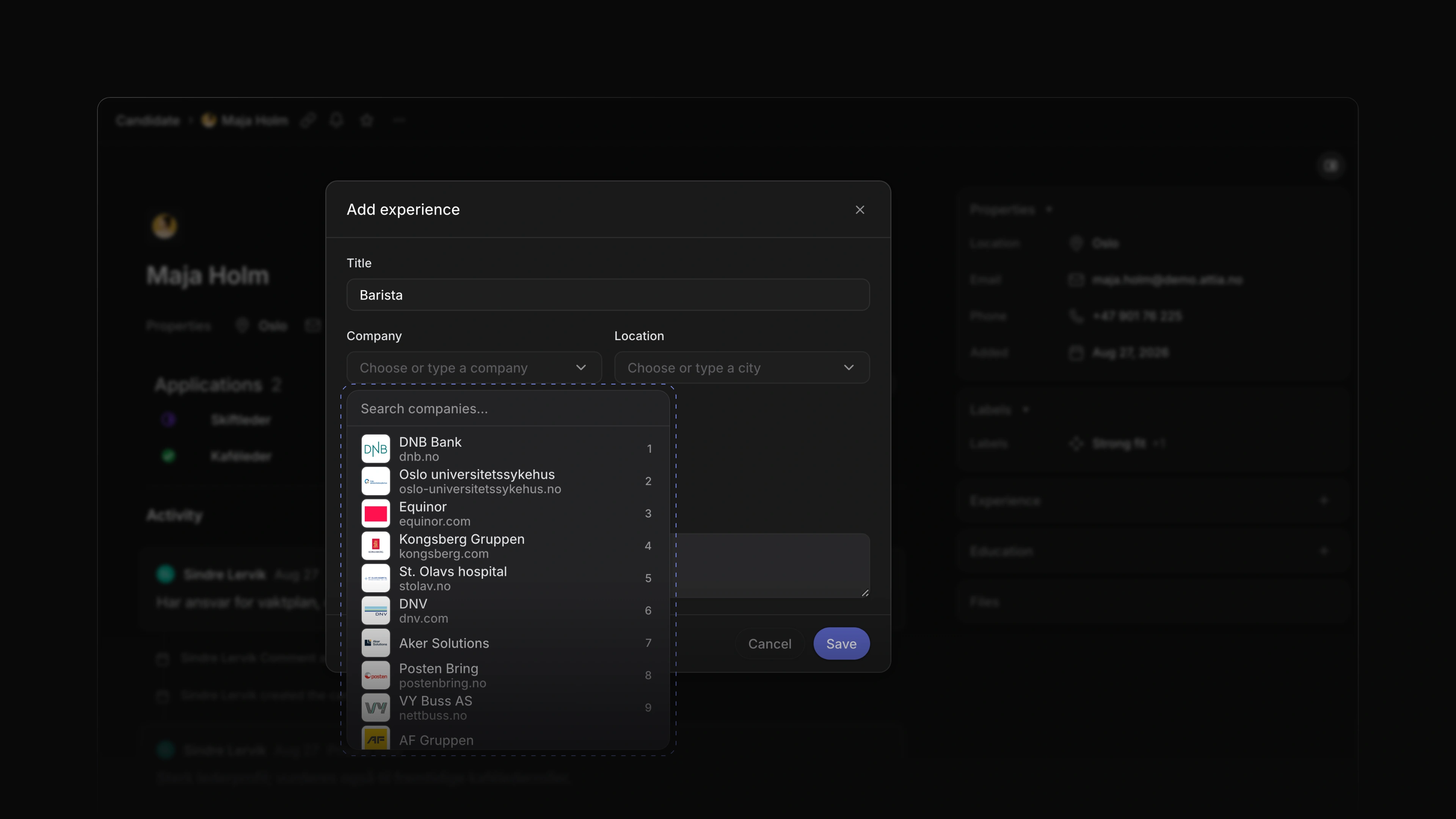
When you add a job or a school to a candidate, the list shows each company's logo, name and web address, with Norwegian companies first. It lists popular companies as soon as it opens, answers from the first letter you type, and keeps loading as you scroll. Every Norwegian university and university college has its logo. A saved row and its hover card show the logo too, and a company without one gets a grey tile with an icon.
 Zoom image
Linked candidate profiles
A candidate you added yourself may also have an Attia profile. When they do, the candidate page offers Link Attia profile in the header and a Link button on the Experience card. Linking shows the jobs and schools the person keeps on their own profile next to the rows your team added. If the person already has another candidate in your workspace, Link and archive moves this candidate's labels, files, comments and entries onto that one and archives this one, which you can restore for 30 days.
Experience and Education changes
Start and End on an Experience or Education row now pick a month in a date picker, and Company and Location share one row. Location on an Experience row picks a city from a search list. Point at a saved row to see the whole entry in a hover card.
- Applications Added the jobs and schools a candidate sent with an application to the application page.
- Career sites Added the jobs and schools from a signed-in candidate's Attia profile to the apply form, each with Leave out if they want to skip it.
- Jobs Changed the job hover card to show the health of the latest update.
- Workspace Added a What's new card to the sidebar that shows the latest changelog entry until you open or close it.
- Performance Made the candidates list, the Jobs pages and the Inbox detail open faster.
- Candidates Fixed Experience and Education rows showing in the order they were added; the most recent now comes first.
- Candidates Fixed Create candidate refusing an email with no reason when a deleted candidate still holds it; it now says so.
- Candidates Fixed a reload dropping an Experience or Education change that was still saving; Attia now warns you first.
- Applications Fixed the Labels field on an application offering archived labels.
- Applications Fixed the status menu on an application showing stray English headings, such as backlog and active, between the statuses.
- Applications Fixed the Source of a career site application showing Candidate apply; it now shows Career site.
- Career sites Fixed the apply form clearing what the candidate entered when sending failed.
- Career sites Fixed filling the apply form from a CV emptying answers the candidate had already typed.
- Career sites Fixed a phone number typed on the apply form not reaching the candidate's empty Phone field.
- Career sites Fixed the apply form naming the career site where it should name the company.
- Candidate account Fixed a failed withdrawal replacing the page with an error; it now says so under the button.
- Candidate account Fixed a deleted candidate account briefly showing that the deletion failed.
- Views Fixed a date cell showing Empty for some dates.
- Jobs Fixed Create job picking a team you cannot create jobs in, so the first try failed.
- Jobs Fixed a team member who may edit a job being refused when setting its locations.
- Jobs Fixed a label created from a job's overview not showing until the next change, which then dropped it.
- Inbox Fixed an open Inbox showing new notifications only after a reload.
- Teams Fixed the Teams page offering to join an invite-only team that would refuse you.
- Favorites Fixed removing a favorite from the sidebar leaving its star filled on the record page.
- Workspace Fixed the first click in the sidebar after the page loaded doing nothing.
- Workspace Fixed the Update available message appearing over an open dialog; it now waits until you close it.