Attia Agent actions
 Zoom image
Attia Agent could already answer questions about your jobs and applications. The changes themselves were still yours to make, one screen at a time.
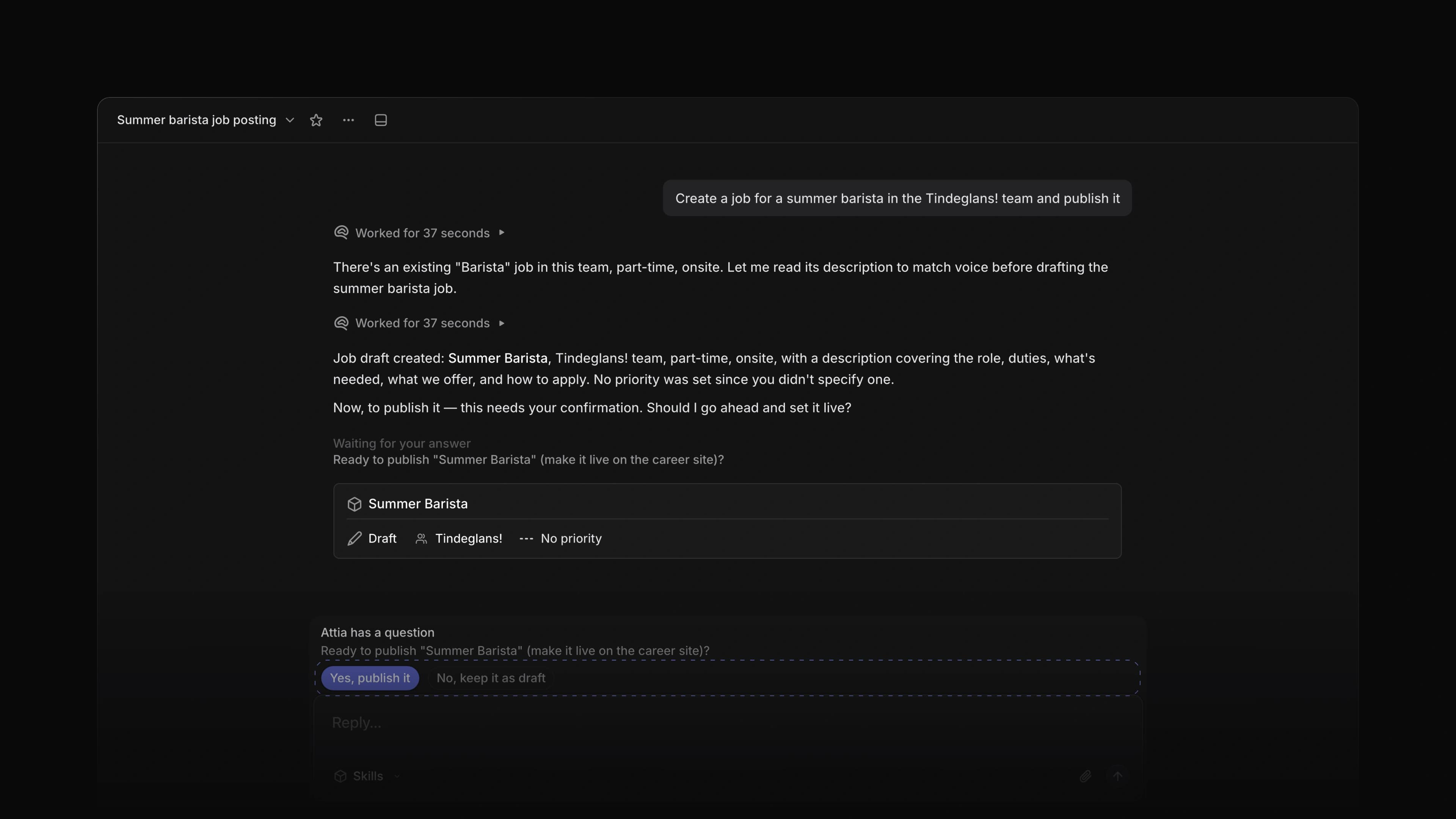
Attia Agent now does the work. Ask it to create a job, update one, add labels, assign an application, post an update on a job, edit a document or leave a comment, and it makes the change. Before the steps that matter, it asks you first and waits for your answer.
For example, ask Attia to create a job for a summer barista and publish it. Attia creates it as a draft, then asks before it publishes. To start, choose Agent in the sidebar and tell Attia what to do.
Approval before the big steps
Attia asks before it publishes or closes a job, and before it adds a label the candidate can see. Nothing happens until you answer in the chat.
Guidance
Tell Attia once how you work: your tone, the requirements you always include, the words you avoid. Write it under Guidance in Settings, Agent personalization, and Attia follows it in every chat. View version history shows what you wrote before.
Skills
A skill is a prompt you save and reuse. Create one under Skills with New skill. Attia picks the right skill on its own, or you choose one from Skills in the chat box.
The Free plan
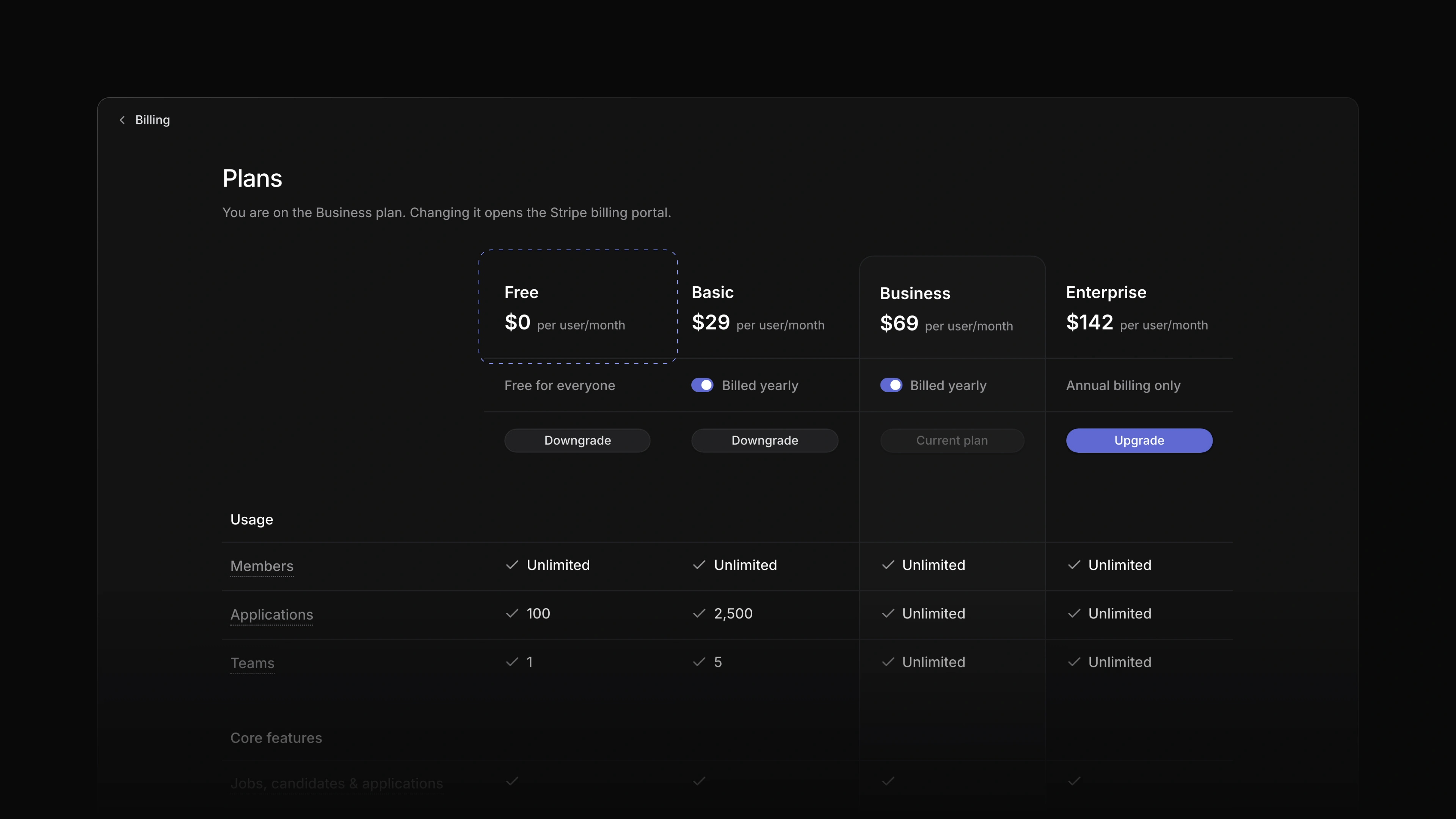
Every new workspace now starts on the Free plan, with no card and no checkout. Free has unlimited members, one team, one career site, Attia Agent and up to 100 applications, and jobs and candidates are unlimited on every plan. Applications always arrive: when a Free workspace goes over 100, its applications become read-only until you archive some or upgrade. Plans, under Settings and then Billing, shows Free, Basic, Business and Enterprise side by side. Basic adds Loops, five teams and 2,500 applications, and if you move from a paid plan back to Free, you keep your data.
 Zoom image
Attia in Norwegian
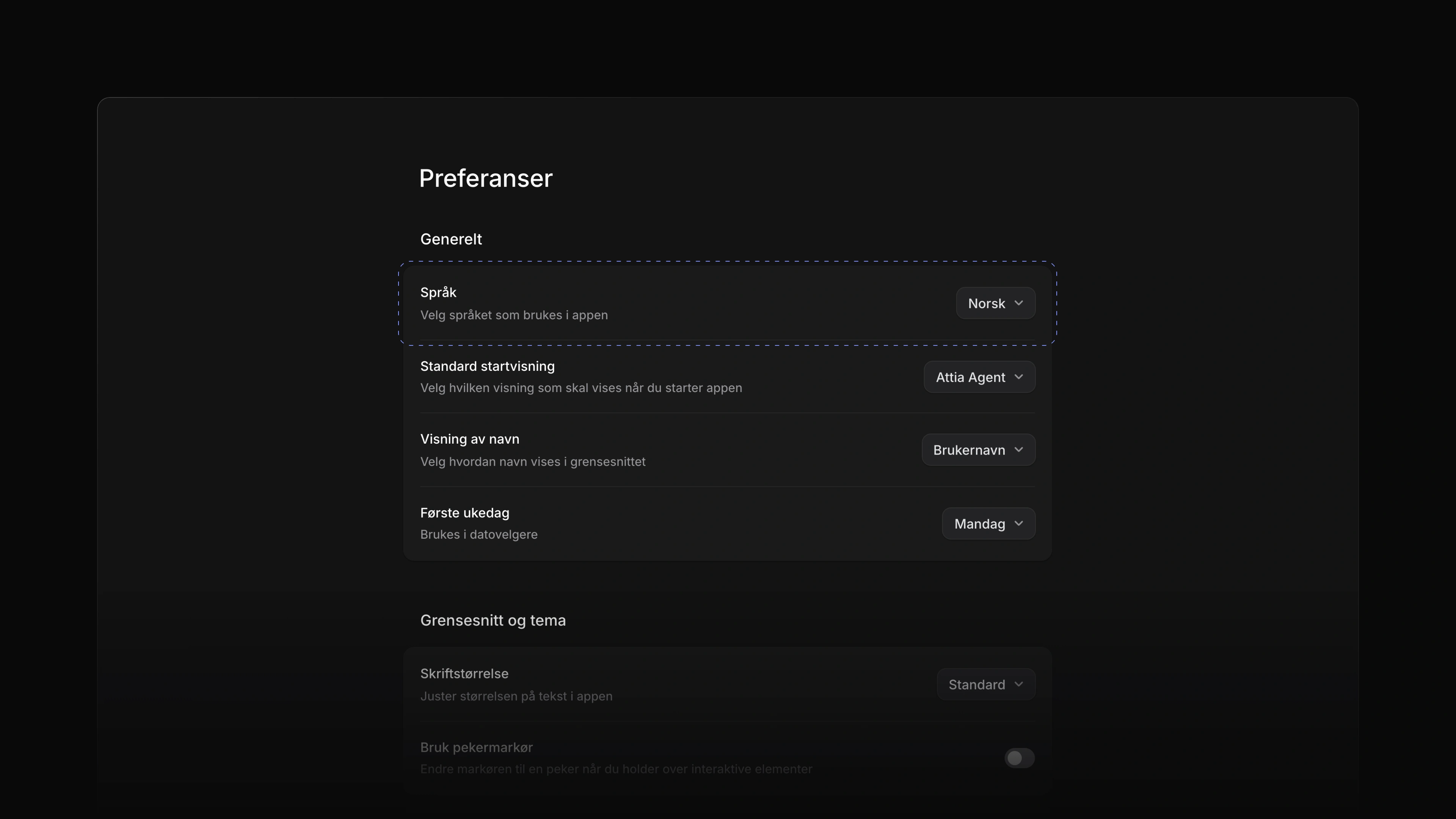
Open Settings, choose Preferences and set Language to Norsk, and all of Attia is in Norwegian: menus, settings, dates and calendars, the activity on jobs and candidates, and the inbox. Attia Agent answers in Norwegian too. A career site can offer several languages, and each candidate picks theirs for the application form.
 Zoom image
Recently deleted
A deleted job, application or candidate is not gone at once. It stays in Settings, Recently deleted for 30 days, and you can restore it from there.
- Agent Added a queue for follow-ups: a message you send while Attia works waits and sends when it finishes.
- Views Changed saved views, teams and drafts to open at once, without waiting for the server.
- Settings Changed the plan cards to say what each plan includes.
- Applications Changed links to an archived job, application or document to open the record, with a note to restore it before you edit.
- Applications Added Subscribe to updates on an application, so its changes reach your inbox.
- Agent Added job templates to Attia Agent: it can save a job as a template and start a new job from one.
- Agent Changed a new workspace to open on the Agent page.
- Settings Added Add account... and Switch account under your workspace name in the sidebar, so several logins work in one browser, and an invitation page now says which of your accounts to use.
- Agent Added
Cmd/CtrlEnterto send a message while Attia is still working, so it changes course at once.
- Agent Fixed
CmdJ, orCtrlJon Windows, not closing the agent chat it had just opened. - Agent Fixed a message failing to send in a chat that had been left idle for a while.
- Career sites Fixed a wide logo shrinking to a thin sliver in the career site page designer.
- Applications Fixed My Applications naming a column Backlog; it now reads Sourced.
- Settings Fixed the label on the Norwegian trial button.
- Jobs Fixed the default application questions on a new job appearing in a different language than yours.