Company claims
 Zoom image
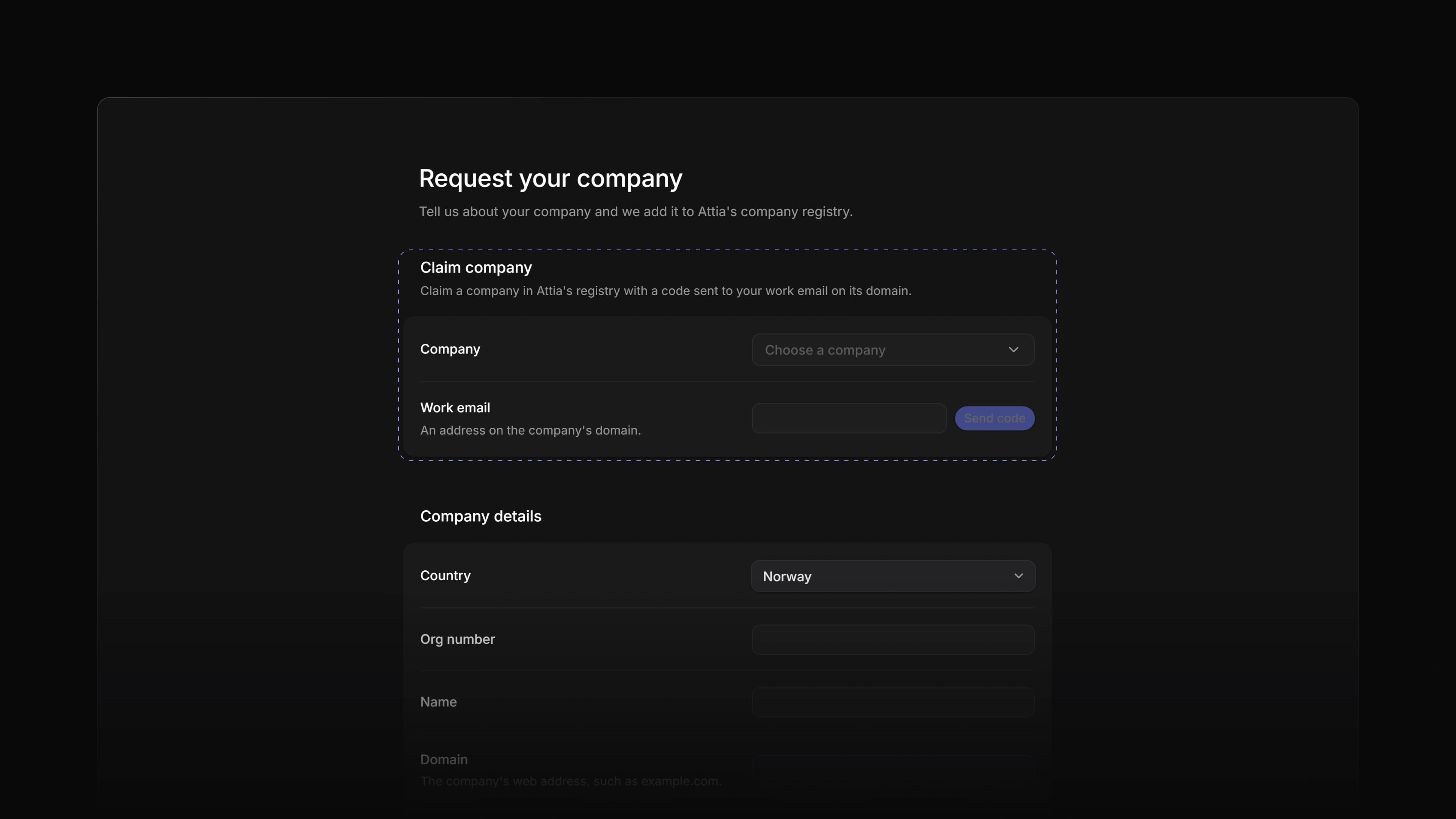
Attia keeps a registry of companies, and candidates pick from it when they add work experience to their Attia profile. If your company was already in the registry, you had no way to say it was yours, and a wrong name or an old logo stayed until you asked us to fix it.
Now an owner or admin can claim the company. Attia sends a code to a work email on the company's domain, and once you enter the code and we have reviewed the claim, you edit the company's name, summary and logo yourself.
To start, open Settings, choose Request your company and use Claim company at the top of the page. If your company is not in the registry yet, the request form below it still asks us to add it.
Claim with a work email
Pick the company under Company, type an address on its domain under Work email and choose Send code. Enter the six-digit code and choose Confirm. The code works for 15 minutes. A company whose domain is a free email service cannot be claimed; ask us to set its real domain first.
Review and editing
A new claim shows Pending review until Attia has looked at it. After that the company gets a Name, Summary and Logo you can change and save. The logo shows next to the company in a candidate's work experience.
Several companies
A workspace can hold more than one company. Claimed companies lists them all, with one marked Primary. Make primary moves that mark, and Revoke gives a company up after you confirm. You can claim it again later with a new code.
- Jobs Added an Insights button at the top of the Jobs list, next to the details button. It opens the same panel as
CmdShiftI, orCtrlShiftIon Windows. - Candidates Changed a candidate's Activity to show a message a Loop sent them when they have no application.
- Views Fixed sorting by a text column putting lower-case names after Z, and Å before Ø in Norwegian. Text now sorts by the alphabet of the language you use Attia in.
- Views Fixed a new candidate or application in a list in Manual order sharing the top place with the others. Each new one now goes to the top.
- Views Fixed letter shortcuts such as
SandPdoing nothing on the row under the pointer when a button in the row had focus. - Views Fixed a card you moved to a new column and back in quick succession on a board jumping to the column it left.
- Views Fixed a saved view with no icon showing an empty tab icon.
- Views Fixed a column header's name running under the next header when the column is narrow.
- Candidates Fixed the banner on a candidate page offering to link an Attia profile an admin had unlinked. Link Attia profile in the page header still works.
- Applications Fixed Try again after a lost connection saving a private note or a thread reply twice.
- Career sites Fixed Publish changes on a career site page being refused after you changed the site's settings.
- Career sites Fixed Reset to published bringing back a navigation link to a job you had archived or deleted.
- Settings Fixed a candidate or application label you had just dragged losing its new name when you renamed it.