Job and candidate mentions
 Zoom image
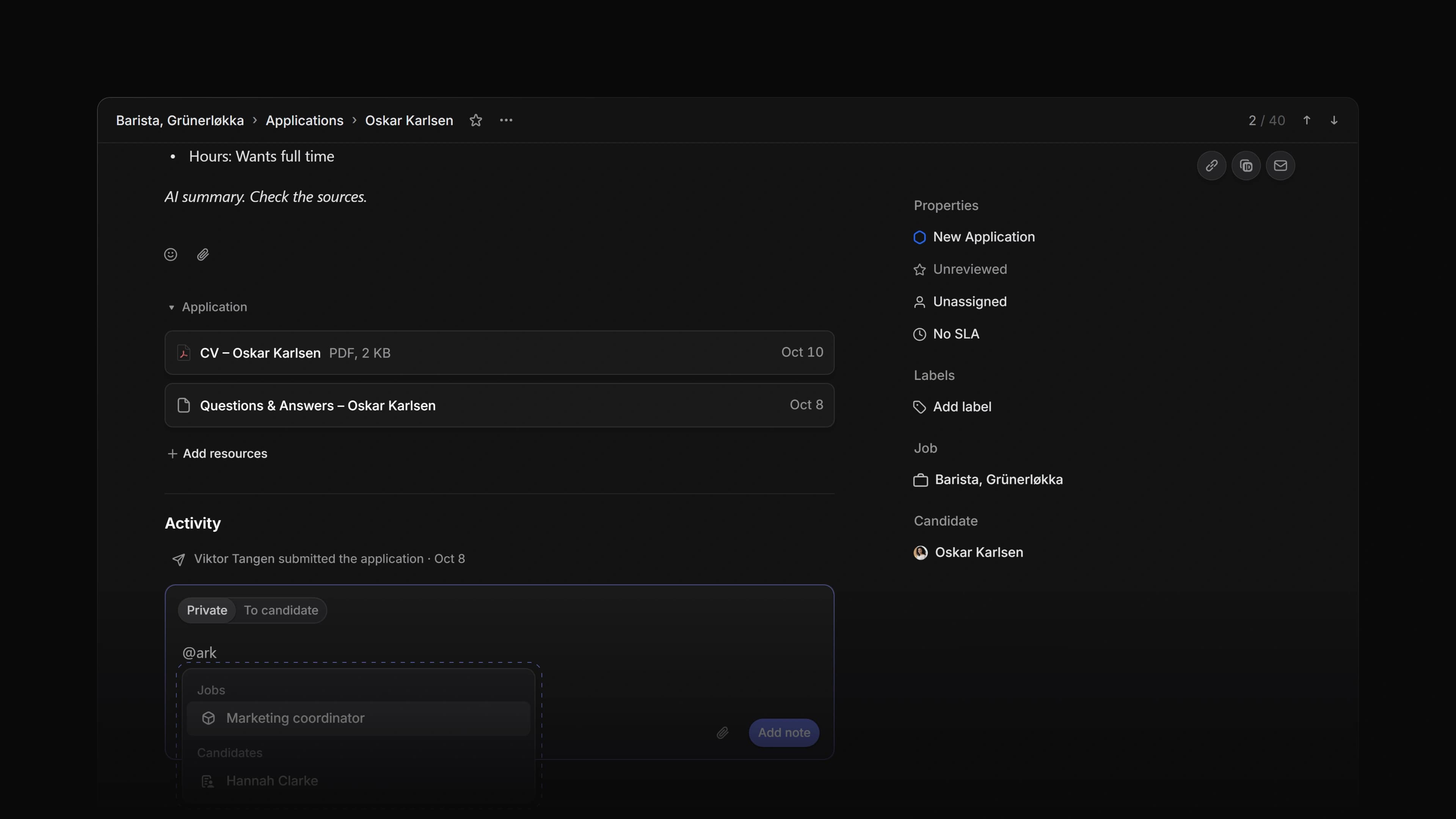
A private comment on an application often points at another job or another candidate. Until now the @ menu in a comment found only people, so you wrote the job title or the candidate's name as plain text, and whoever read the comment had to go and find it.
Now the @ menu in a private comment finds jobs and candidates too. Pick one and the comment gets a chip with its name, and the chip opens that job or candidate when you click it.
To start, open an application, choose Private in the comment box and type @ followed by a few letters of a job title or a candidate's name.
Search as you type
Type @ on its own and the menu lists People and Agent, as before. Keep typing and Jobs and Candidates show up under their own headings, with up to 20 matches each. The same menu works when you reply in the thread under a private note.
The chip
The chip shows the job title or the candidate's name and opens its page. Inside a comment it keeps its own colour and has no underline, so it does not look like a plain link. The @ menu itself has a new look as well.
Who is told
Mentioning a job or a candidate notifies no one. The people you mention get a notification, as before. If you switch to To candidate, Attia removes the mentions, because that message goes to the candidate.
Labeled candidates and jobs
In Settings, the row menu of a candidate label now has View labeled candidates, and the row menu of a job label has View labeled jobs. Each one opens the Candidates or Jobs list filtered by that label. On a label group, the filter covers every label in the group. The filter lasts for this visit only, so your saved filters stay as they were, and Back from a record brings the filtered list back.
Delete several jobs
Select jobs in the Jobs list and press Cmd Backspace, or Ctrl Backspace on Windows. Attia asks once, for example Delete 4 jobs?, and then deletes them. They move to Recently deleted for 30 days and come off every career site. A job that still has applications is kept, and one message tells you how many jobs were deleted and how many were kept.
- Editor Changed the look of the @ menu in comments and in the Attia Agent message box.
- Settings Changed the row menu of an application label in Settings to one Move to teams… item, which opens a dialog where you pick the workspace or a team. A team's label has Move to workspace… instead.
- Views Changed Move in the row menu, and the
Optionarrow keys, to work in a list sorted by a field too. On Windows, useAlt. The row moves in Manual order, so the sorted list on screen stays the same. - Views Changed Delete on a view you have not saved yet to close it at once, without asking first.
- Career sites Changed the Unpublished changes badge on a career site to say where the change is, such as Unpublished changes on About us or Unpublished changes in site settings.
- Editor Fixed a job or candidate chip in the Attia Agent message box showing in the link colour with an underline.
- Agent Fixed approval cards in an Attia Agent chat staying greyed out after you declined an earlier card.
- Jobs Fixed a job whose lead had left the workspace refusing every change, pausing included. Such a job now has no lead.
- Jobs Fixed a new job in a Jobs list in Manual order not going to the top.
- Teams Fixed making a team public also making its private sub-teams public. A sub-team now keeps its own setting.
- Settings Fixed a new company logo taking up to an hour to show after you saved it.